
The tax team will notify franchisees when year-end (W2s & 1099s) have been approved in iSolved and are ready to print
As best practice, we want to direct clients to their client portals and employees to their employee self-service portal to receive a copy of their year-end tax forms.
In the event you do print year-end tax forms on behalf of your clients, you’ll want to print your W-2s and 1099s from the print utility and not directly in iSolved. Printing from the print utility will stamp a date and time into iSolved and mark them as printed.
Important Notes:
- iSolved Print Utility is not compatible with Apple MAC computers
- If you have an Apple MAC computer and plan to print on behalf of your clients, you will need to do so client by client from the Year End Report Archive
- No employee copy will print if electronic consent is given by employee (unless terminated).
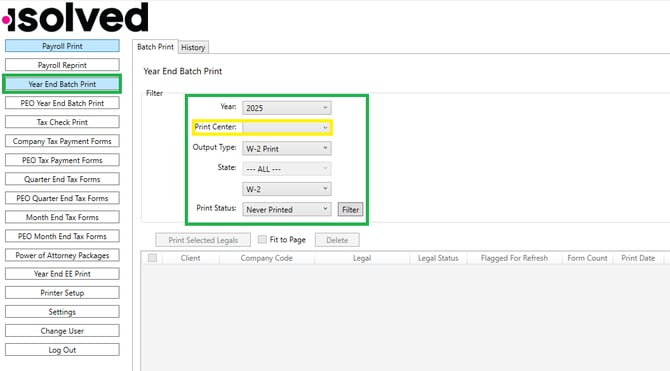
W-2’s Non-Pressure Seals
In the print utility >> Year End Batch Print >> Filter Year >> Print Center: Your office printer >> Output Type: W-2 Print >> dropdown: W-2 >> Print Status: Never Printed
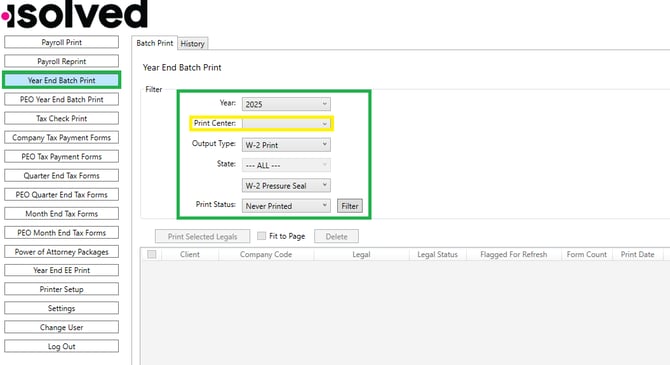
W-2’s Pressure Seals
In the print utility >> Year End Batch Print >> Filter Year >> Print Center: Your office printer >> Output Type: W-2 Print >> dropdown: W-2 Pressure Seal >> Print Status: Never Printed
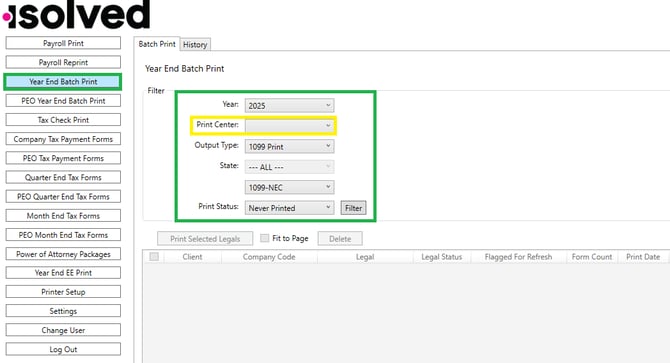
1099-NEC Non-Pressure Seals
In the print utility >> Year End Batch Print >> Filter Year >> Print Center: Your office printer >> Output Type: 1099 Print >> dropdown: 1099-NEC >> Print Status: Never Printed
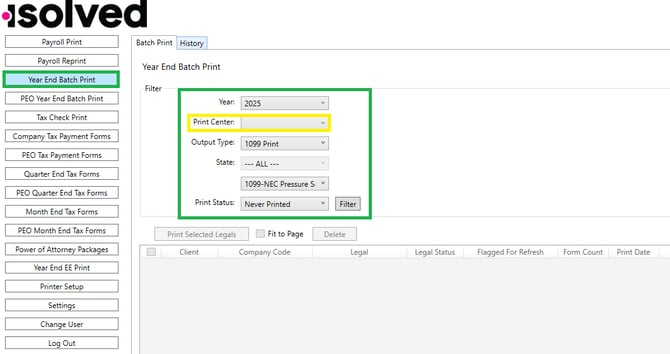
1099-NEC Pressure Seals
In the print utility >> Year End Batch Print >> Filter Year >> Print Center: Your office printer >> Output Type: 1099 Print >> dropdown: 1099-NEC Pressure Seal >> Print Status: Never Printed
***For Apple MAC Computer Users***
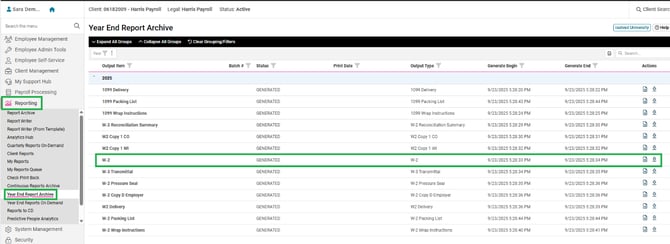
W-2’s Non-Pressure Seals
In iSolved navigate to Reporting > Year End Report Archive > 2025 > W-2.
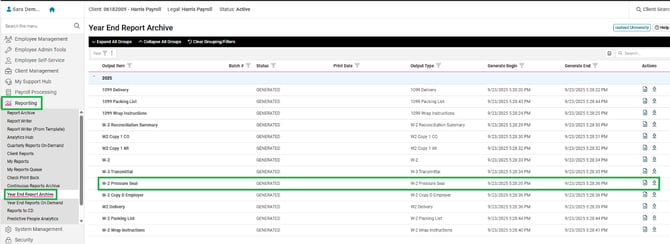
W-2’s Pressure Seals
In iSolved navigate to Reporting > Year End Report Archive > 2025 > W-2 Pressure Seal
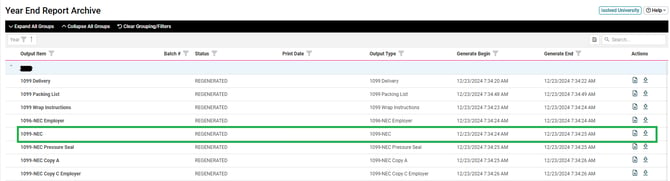
1099-NEC Non-Pressure Seals
In iSolved navigate to Reporting > Year End Report Archive > 2025 > 1099-NEC
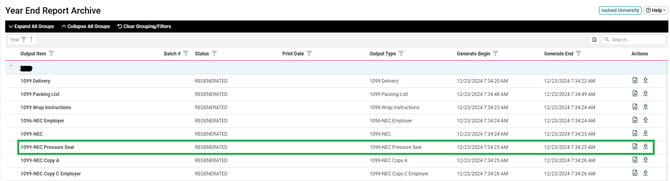
1099-NEC Pressure Seals
In iSolved navigate to Reporting > Year End Report Archive > 2025 > 1099-NEC Pressure Seal
iSolved Print Utility University Articles
-
Installation and Troubleshooting – iSolved Print Utility - isolved Learn & Grow (myisolved.com)
-
FAQ - Print Utility Year-end - isolved Learn & Grow (myisolved.com)