
Limiting a user’s access to a group of clients
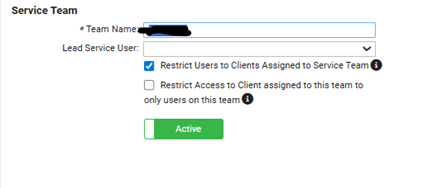
Navigate to Security > Service Teams. Setup your team
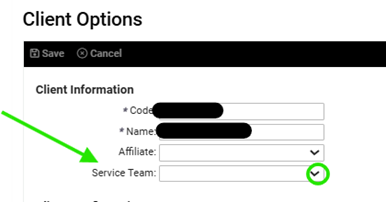
Then navigate to client options for each of the clients and add the team
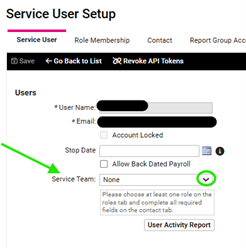
Last Navigate to the service bureau user to assign the team
Limiting a user’s access from certain clients
Navigate to Security > Service Teams. Setup your team
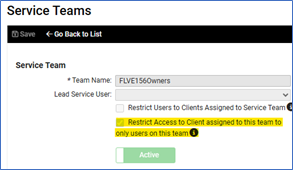
Navigate to the service users that need to see all clients and assign the team