
Payroll Anywhere - Client facing Doc
Payroll Anywhere – Mobile Processing
Processing Payroll from the Employee Workspace
Step 1: Sign in
Log into the Employee Workspace using client user credentials
Step 2: Verify the task
Confirm the Payroll ready to run task appears in the To-Dos widget
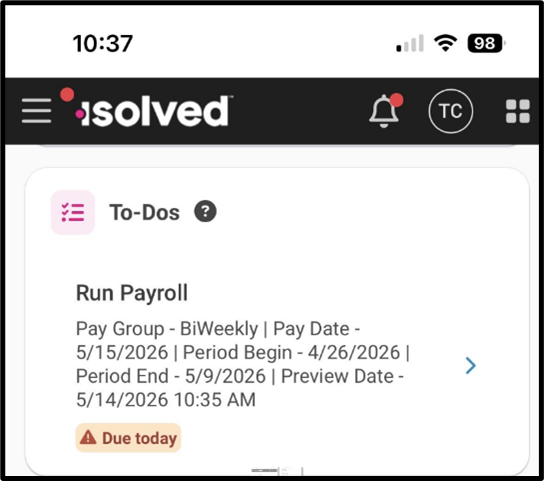
Step 3 Preview Payroll
Click Process Payroll (or Preview Payroll) to review payroll details
Verify displayed amounts match your Payroll Summary
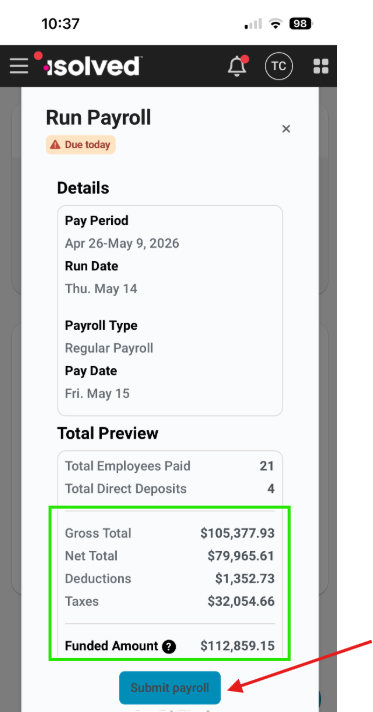
Step 4: Submit payroll
Select Submit payroll