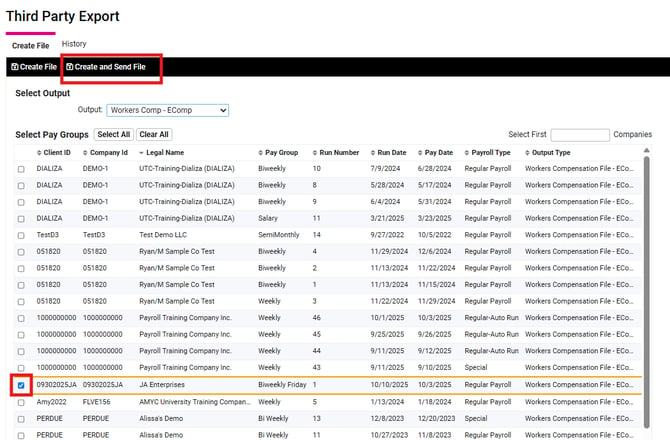
- Navigate to Client Management > Client Maintenance > Legal Services
- Search for Workers Comp - EComp, check mark the box and save.
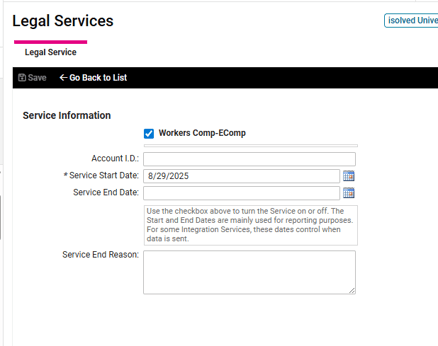
- Search for Workers Comp - EComp, check mark the box and save.
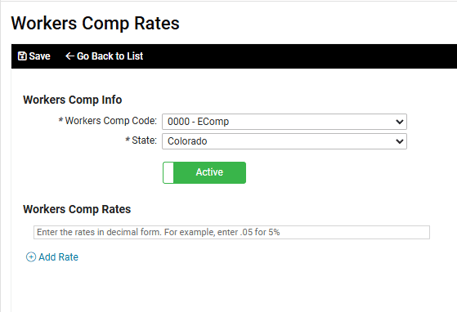
- Next, go to Client Management > Tables > Workers Comp Rates and Add New
- Workers Comp Code: 0000-EComp
- State: Select your specific state from the drop down menu
- Save
- Now you'll add the default workers comp to the Legal Company page. Go to Client Management > Client Maintenance > Legal Company
- Under the Other Company Information section you'll select 0000-EComp for the Default Worker Comp and Save.
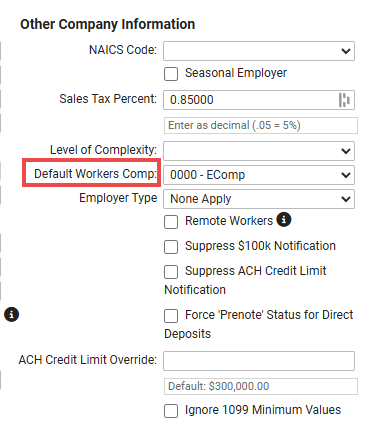
- Under the Other Company Information section you'll select 0000-EComp for the Default Worker Comp and Save.
- If this is your first time using the Workers Comp - EComp legal service submit an Operations ticket to set up a transmission schedule.
Regenerate Workers Comp Files
If you need to regenerate an EComp file you can do this in the Regenerate Payroll Files screen.
- Navigate to Client Management > Client Utilities > Regenerate Payroll Files
- Choose the correct pay date and Workers Compensation File - EComp
- Then click on the magnifing glass and then the regenerate button for ecomp
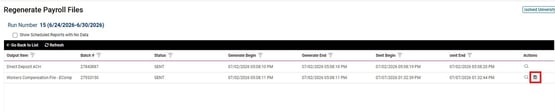
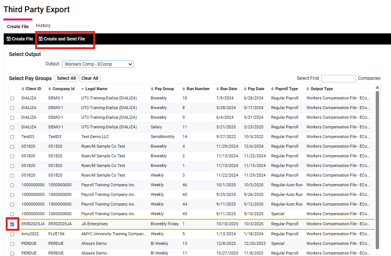
- There will be a new file sitting in the Third Party Export screen under the Workers Comp - EComp dropdown. Your transmission schedule will send the file or you can Create and Send File so it is transmitted right away.
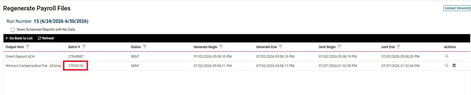
- Once the file has been sent/transmitted you will see a batch number and sent time/date in the Regenerate Payroll Files screen.
Generating EComp File – Prior Payroll Without Legal Service
- Navigate to Client Management > Client Utilities > Regenerate Payroll Files
- Choose the correct pay date and check mark the box "Show Scheduled Reports with No Data," at the top of the screen.
- Click on the Workers Compensation File - EComp then Regenerate on the black bar.
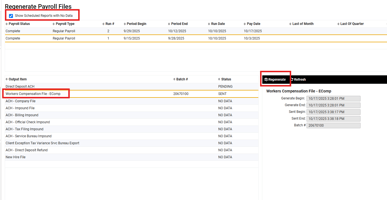
- There will be a new file sitting in the Third Party Export screen under Workers Comp - EComp dropdown.
-
- This file will be sent out with your transmission schedule or you can Create and Send File to transmit the file right away.
- This file will be sent out with your transmission schedule or you can Create and Send File to transmit the file right away.