
VA Files are uploaded on the same site:
https://www.webupload.tax.virginia.gov/user/login
- Upload:
- VA-16 (Withholding) -VA16 Quarterly Withholding Reconciliation - Delimited
- VA UI - FC20&FC21 SUI Quarterly Tax and Wage Report - Delimited
- VA 6 -VA6 Annual Withholding Reconciliation -Delimited
- VA 5 + W2 Files - W2 (EFW2/SSA format) Wage and Tax Statement
Virginia UI is set up in iSolved as a debit combine e-file. This means we have to first process the payment before we can approve and create the VA UI e-file returns. The system uses the processed payment to incorporate it in the uploaded file to the agency.
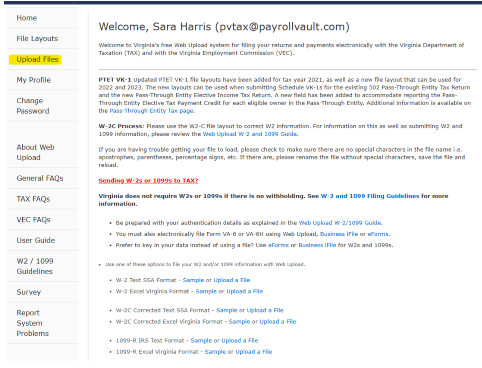
- Log into VA DEPT Taxation| Select Upload Files
- Click Upload a New File – Select File Layout (Pick VA16 or UI form)- Upload
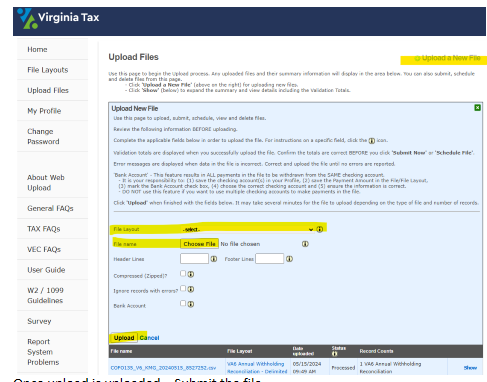
- Once upload is uploaded – Submit the file
- Some files will require validation of the business information - Log into iSolved and enter the business information as requested in the registration process or the Validation process
Things to watch for:
-
When uploading the UI file - make sure that the amount that the agency is debiting out of our account matches the batch you created in iSolved to avoid issues with the bank rec team.
-
Common reason for amount mismatch: Part of quarterly lliability is prepaid in iSolved
-