The Tax Payment Audit Export is a Service Bureau report designed to review tax payment bank files that have been created in iSolved, tax checks and filings associated with the payments.
- Prior to creating the report, you'll want to process all your payments for the day.
- In iSolved PRIME navigate to Reports > Service Bureau Reports
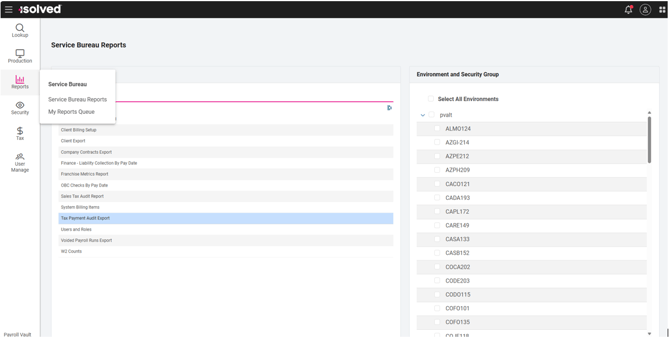
- Select Report: Tax Payment Audit Export
- Select all Service Groups you pay taxes for
- Select Continue
- Filter the report
- From Date: Today's date
- To Date: Today's Date
- Format: Excel
- Select Generate Report Batch
- Note: Running multiple reports at once may take a few minutes
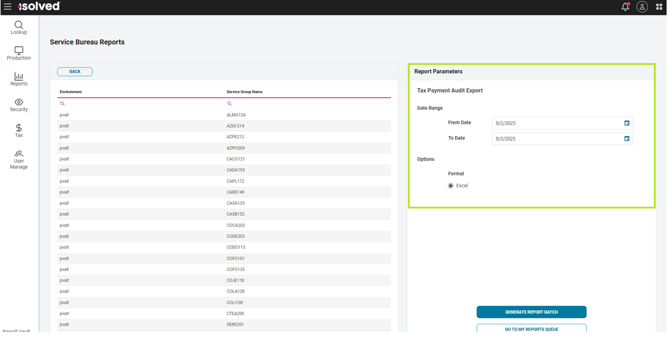
- Select Go To My Reports Queue
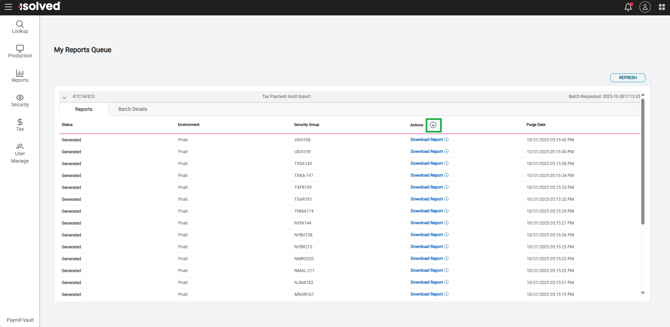
- Once all reports have generated select the Download button in the header to download all reports at once
- On your computer under downloads, you will see a zip folder file labeled "Download all Reports"
- Review each report individually or combine reports together to view as one report
- Review for files marked as "Not Sent" in column named "ACH File Marked as Sent" meaning the file was created in iSolved and not transmitted to the bank
- Review column named "EFile Status Summary" to ensure all efiles have been sent to the agency
Steps to combine Tax Payment Audit Export Reports into one after downloaded from iSolved PRIME
- Once all reports have generated select the Download button in the header to download all reports at once
- On your computer under downloads you will see a zip folder file labeled "Download all Reports"

- On your computer under downloads right click > Select New > Select Folder
- Name the folder today's date

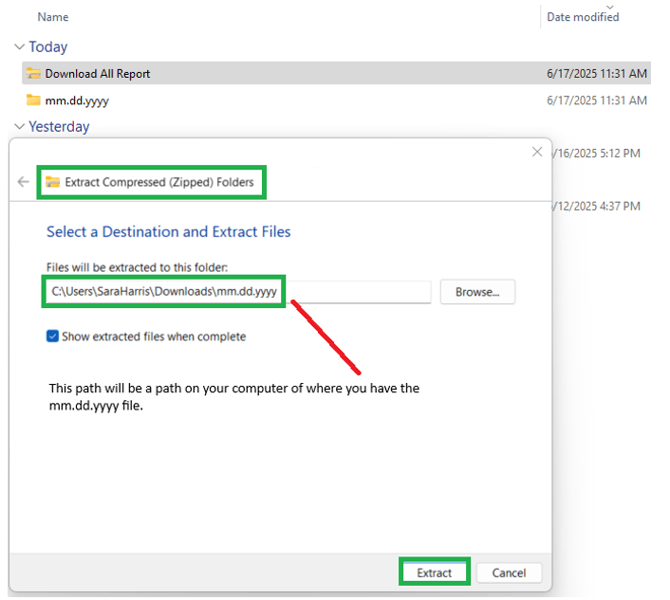
- On your computer under downloads right click on the zip folder file labeled "Download all Report"
- Select Extract All
- In the pop up window "Extract Compressed (Zipped) Folders" select Browse
- Navigate to Downloads > File named today's date from step 11
- Select Extract
- Combine all Excel spreadsheets together into one
- Open a new Excel
- Select Blank Workbook
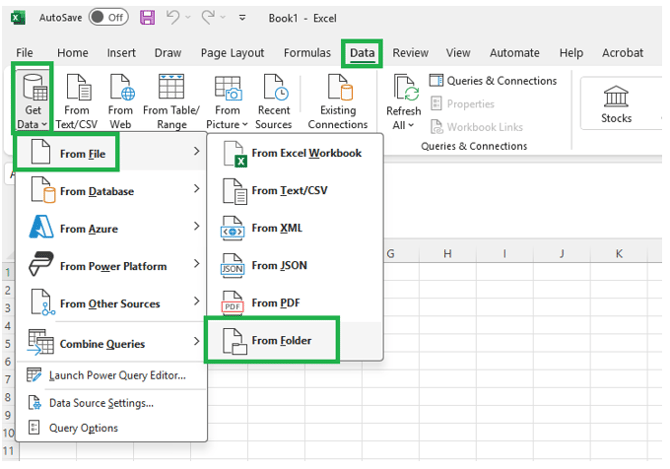
- Select the Data Ribbon > Get Data > From File > From Folder
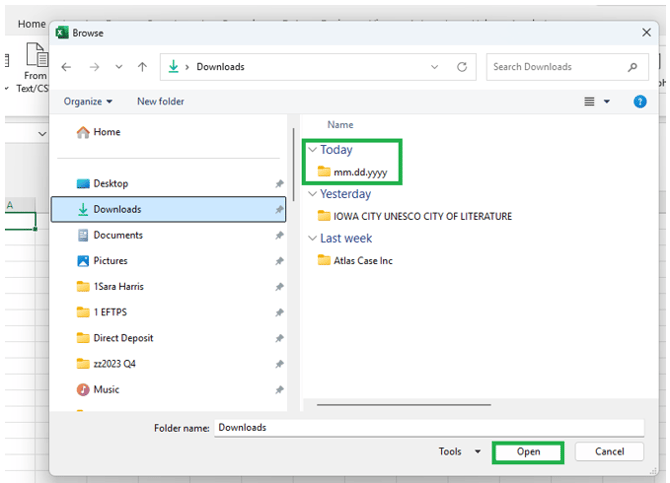
- In the pop up window Select your mm.dd.yyyy folder
- Select OPEN
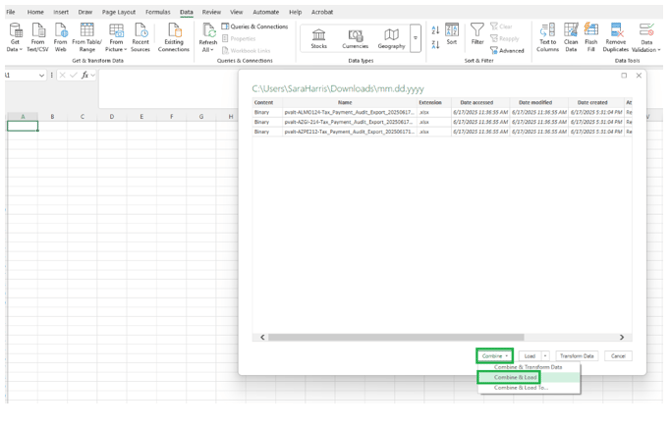
- In the pop up window select Combine > Combine & Load
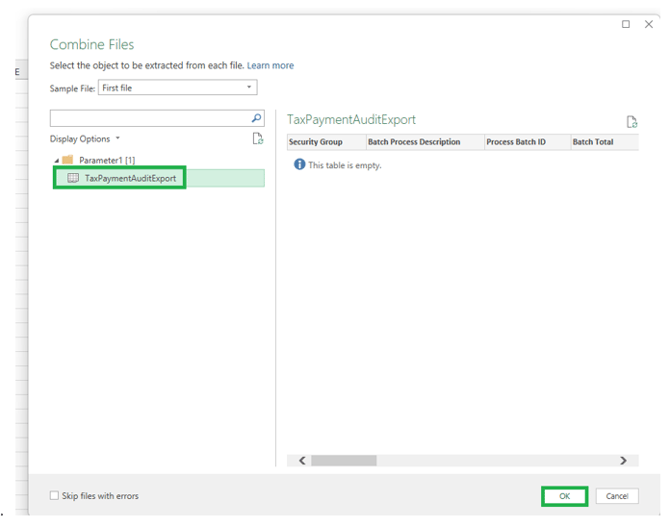
- In the pop up "Combine Files" window select TaxPaymentAuditExport
- Select OK