
Rhode Island Unemployment
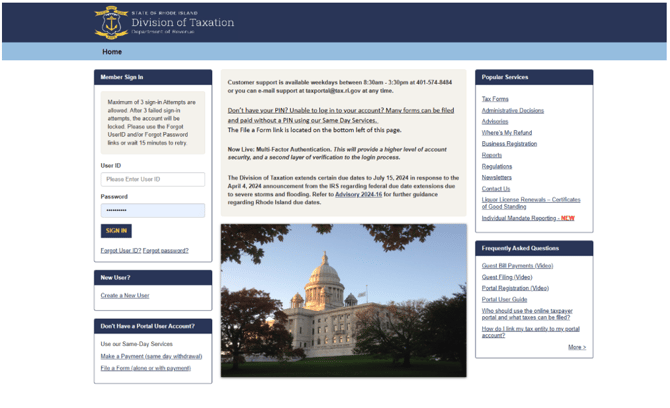
- Login to the agency
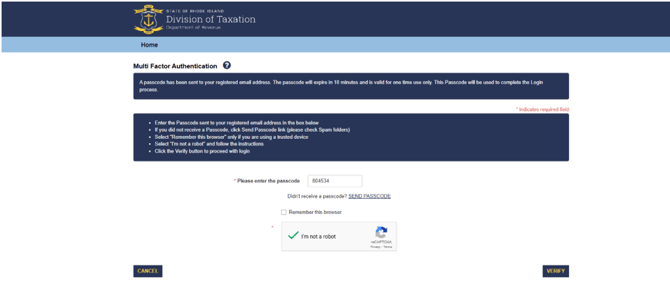
- There is a Multi Factor Authentication- The code will go to PVTax email
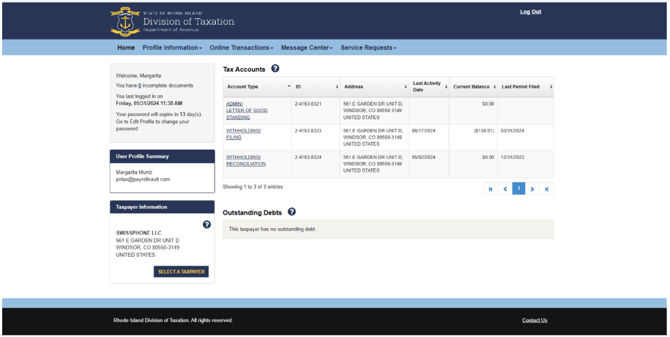
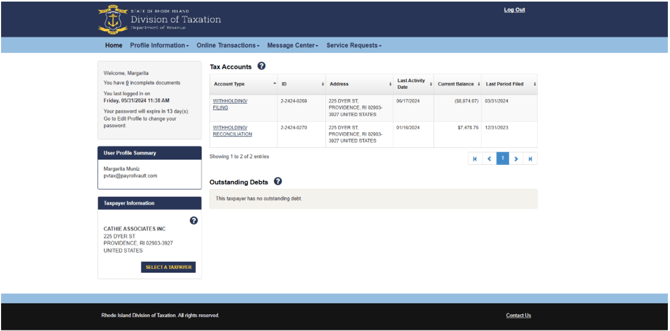
- When you have verified the account, you will land on this page which will allow you to pick the client you are filing for.
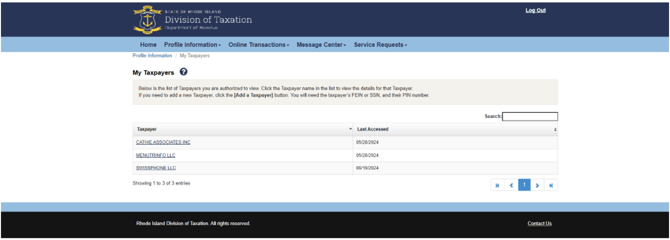
- Select a Taxpayer:
- Once you have selected the Taxpayer, you will be able to select the Tax account you need to file.
- When you choose Withholding/Filing, you will see this page where you can file your quarterly return.
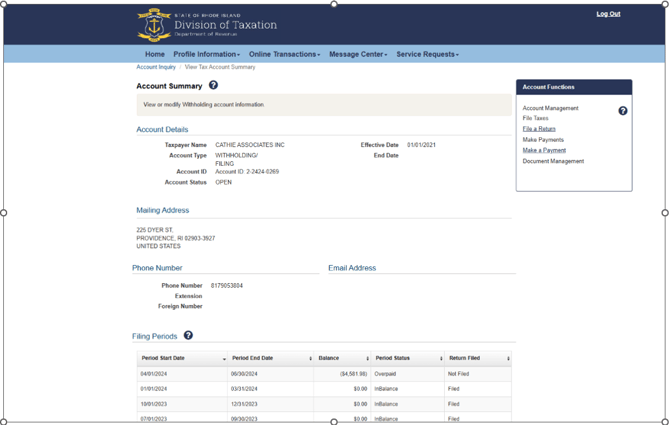
- Save your Confirmation
Rhode Island Withholding
- *If you have the client's Login Info then you can file online. If there is no login then you will need to mail the Quarterly Return.
- Login to the agency
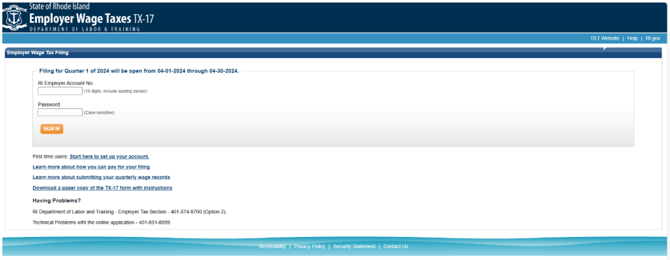
- If the client has a login the username is their RI UI Account Number and their password would be one they have created.
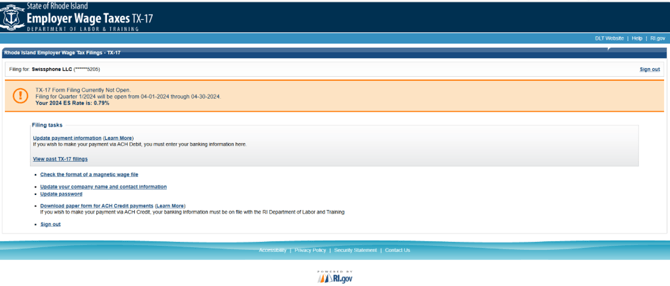
- You will see at the top the client's 2024 ES Rate. There will be an option to file for the current quarter at the time of filing. Filing online would be more ideal as the filing would be update with correct rate.
RI W-2 Bulk Filing
Log into the RI Division of Taxation using the pvfranchising login.
We must have Access to file the W-2.
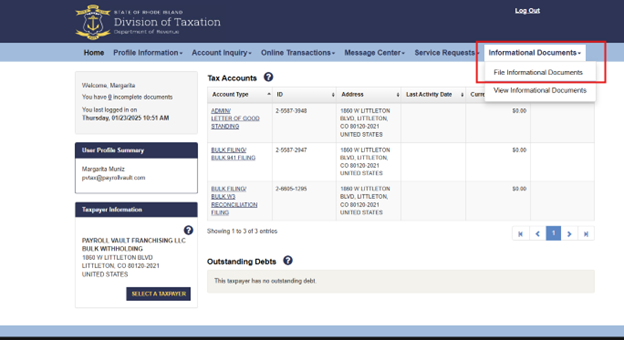
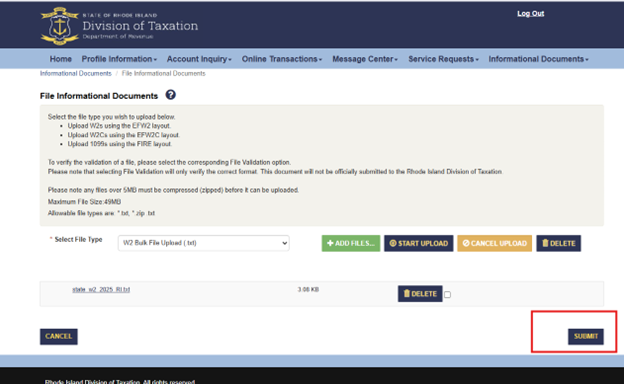
Select Informational Documents/File Informational Documents
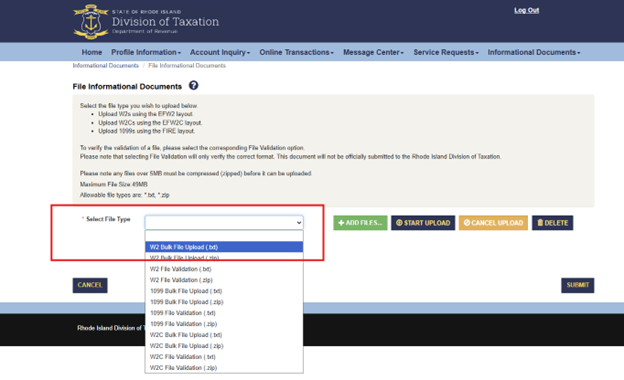
Then, Select File Type “W2 Bulk File Upload (.txt)”
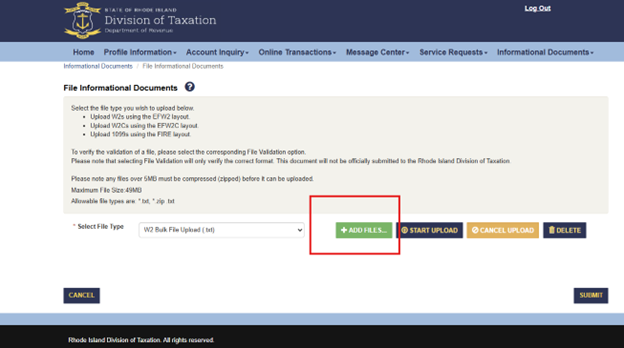
Then, Add Files.
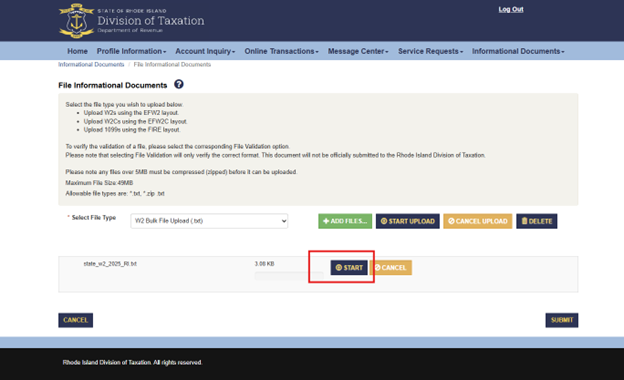
Select the State file that was downloaded from iSolved.
Then click on Start.
Then click on Submit.
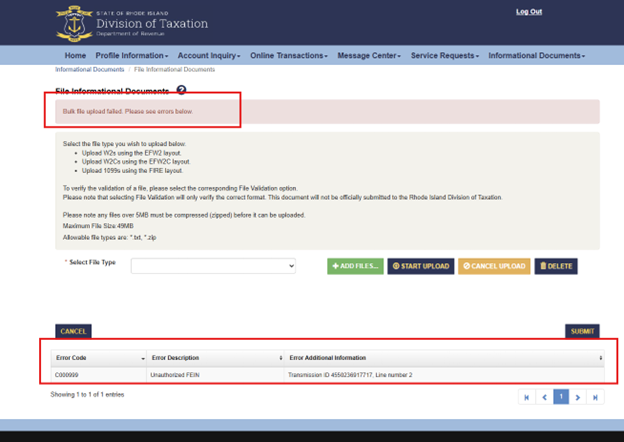
IF there are errors, reach out to the service group to get those resolved.
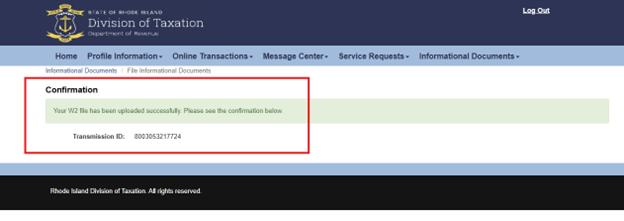
If no errors, then copy and paste the Confirmation information into iSolved. Then print the successful confirmation.
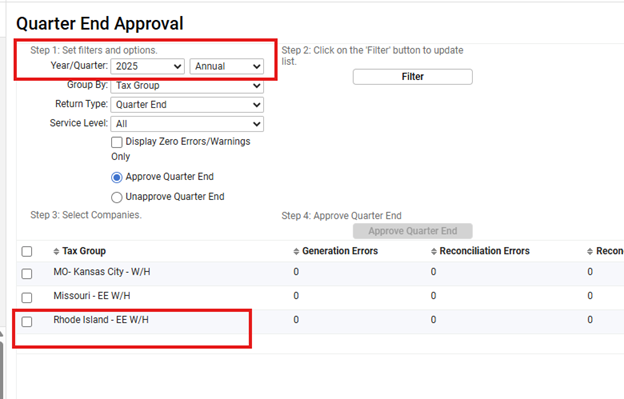
Then, go to Quarter end Approval for annual return, approve the RI W-3 (paper).
Then, Add the RW -W3 to the Printing spreadsheet.