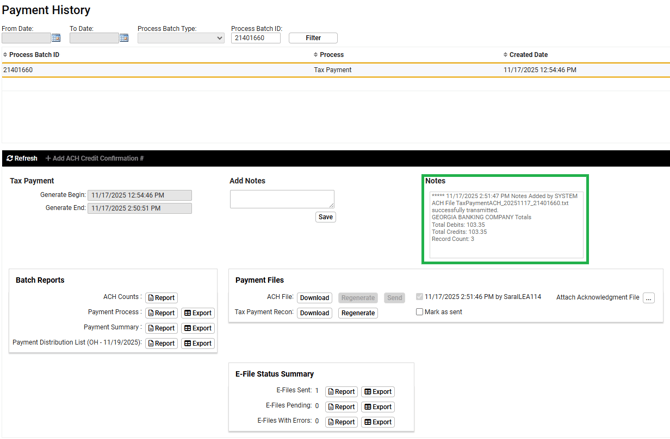
OH RITA is a tax payment that needs to be processed separately from other tax payments. This is due to the OH RITA tax payment file not being able to create until the e-file is transmitted from iSolved and an acknowledgement file comes back from OH.
- Follow steps 1-6 in article named Payment Processing - Georgia Banking File Transmission
- The screen will prompt you to Process Payment Reports to transmit the form OH_RITA_FORM11 E-FILE
- Select Generate File
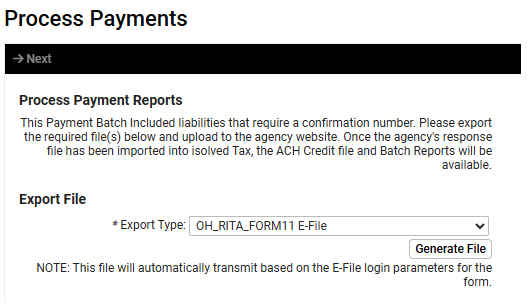
- The following message will appear.
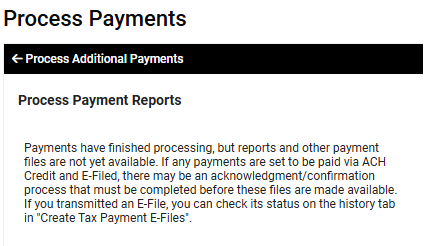
- Navigate to Tax Filing Management > Tax Payment Processing > Process Payments
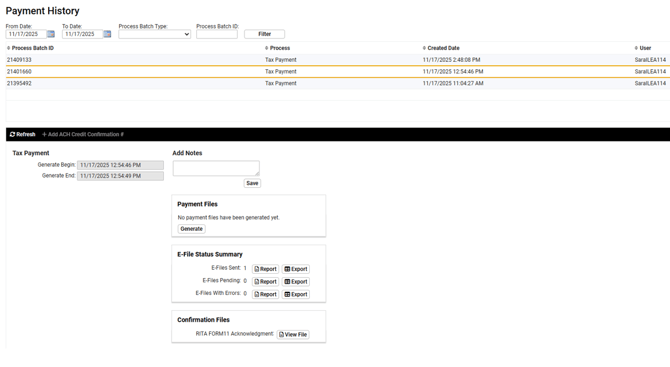
- The following message will appear meaning we have transmitted the filing and the acknowledgement has not came back into iSolved. Until the acknowledgement is received, you will not be able to send the bank file.
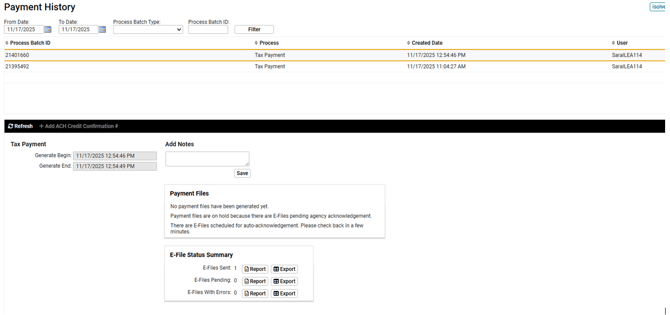
- Set a reminder on your outlook calendar to go back to the Payment History later in the day or next day to see if the acknowledgement has come back and the bank file can be generated.
- Acknowledgement has come back and you'll be able to select generate under Payment Files
- Once bank file generates, select Send button
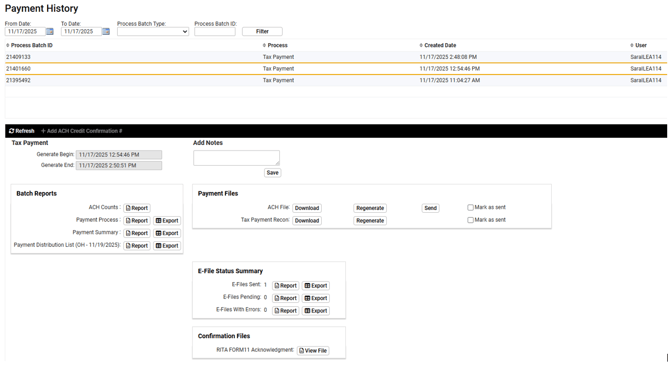
- Confirm bank file was successfully transmitted