
Massachusetts Unemployment
Authentication Factors Text Tendai (8760)
Additional Login Text to Margarita (6849)
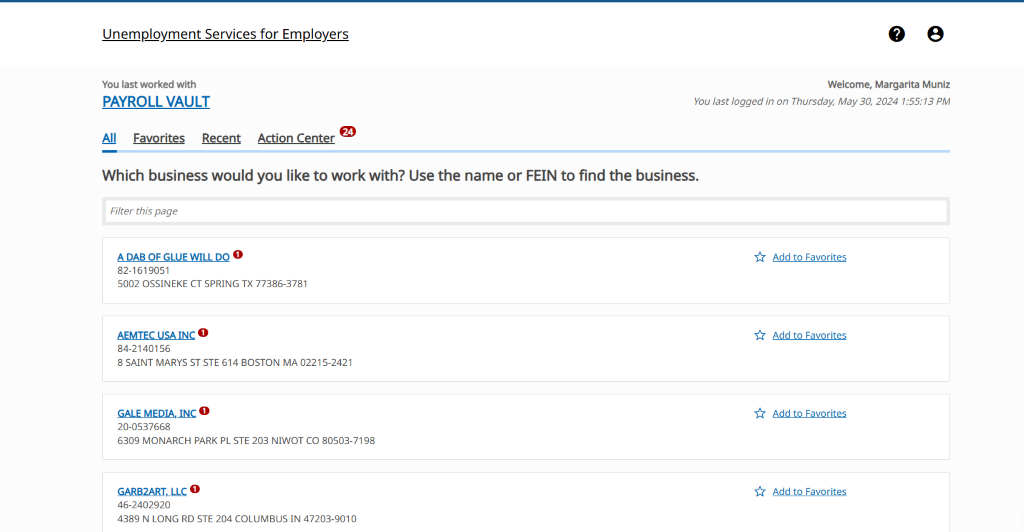
- For MA UI Bulk Filing, scroll down to Payroll Vault and click Blue hyperlink
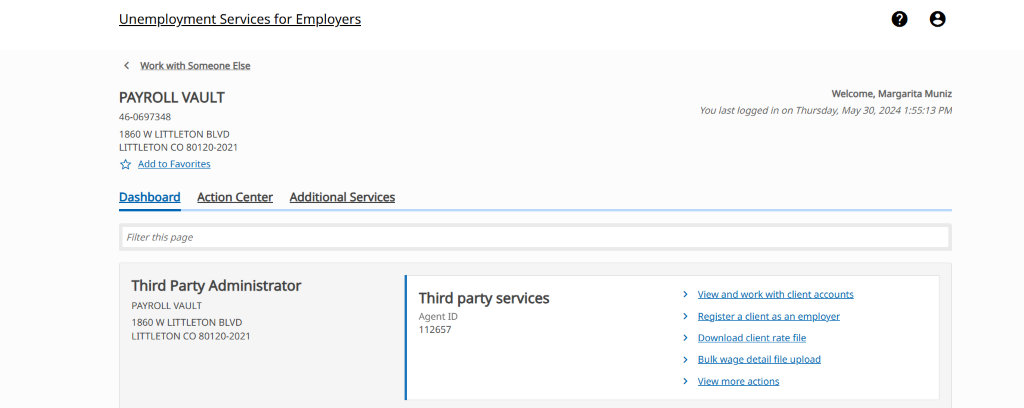
- Next you will click on Bulk Wage Detail file upload
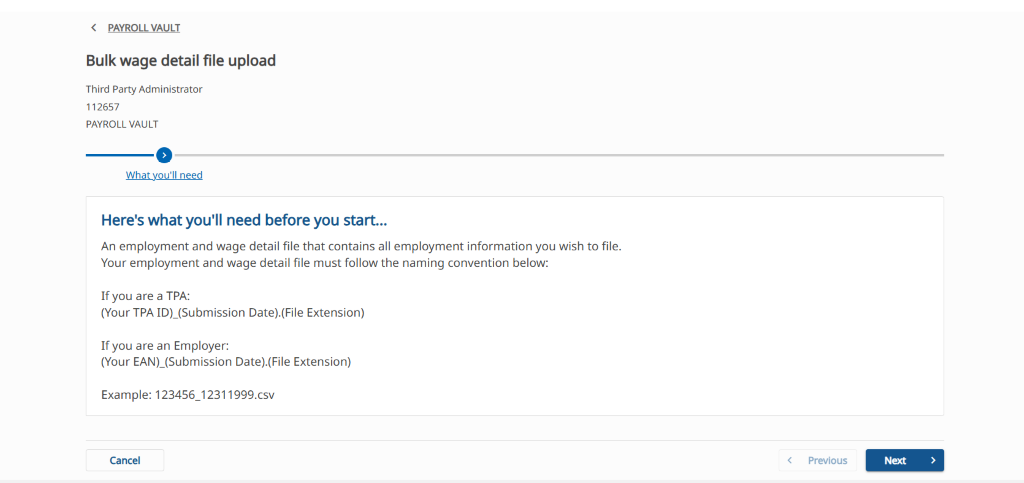
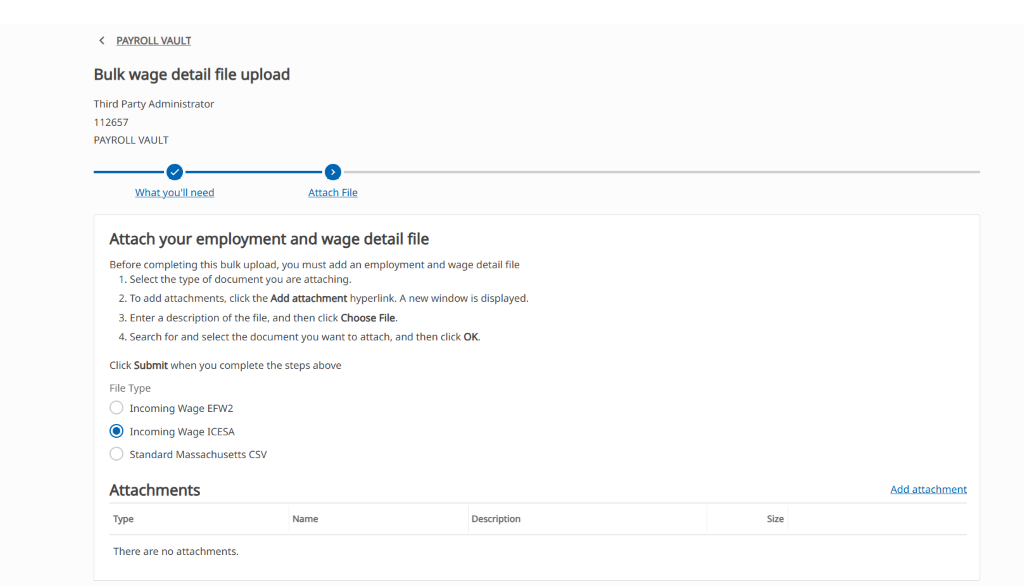
- You will upload your Wage ICESA file here
- File must be named TPA ID_Date
- Example: 112657_mmddyyyy
- If you run into any issues with a client, we can file them individually if we have them attached to our online MA UI Account. If we do not, we will need to email SG, as MA UI does not accept paper returns.
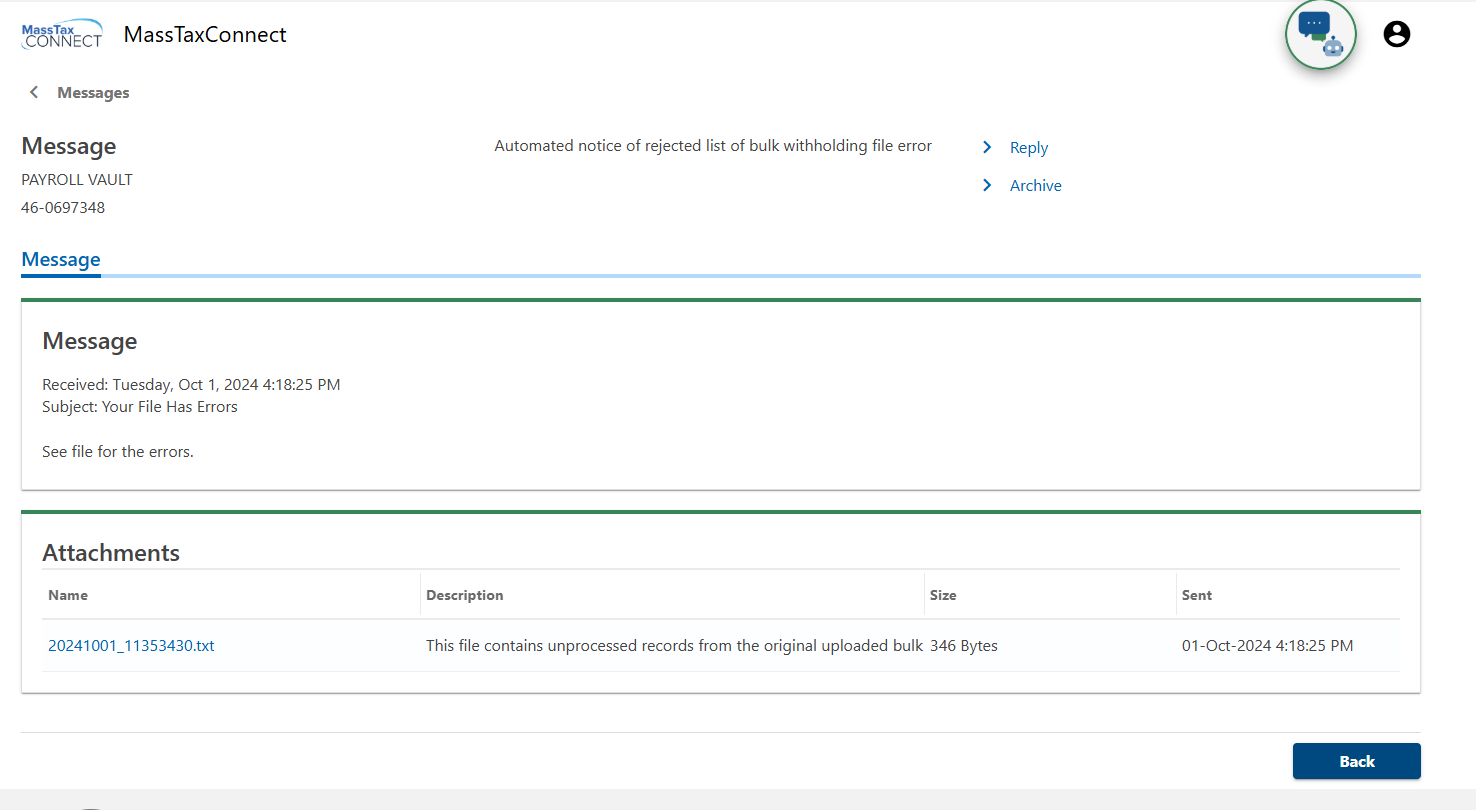
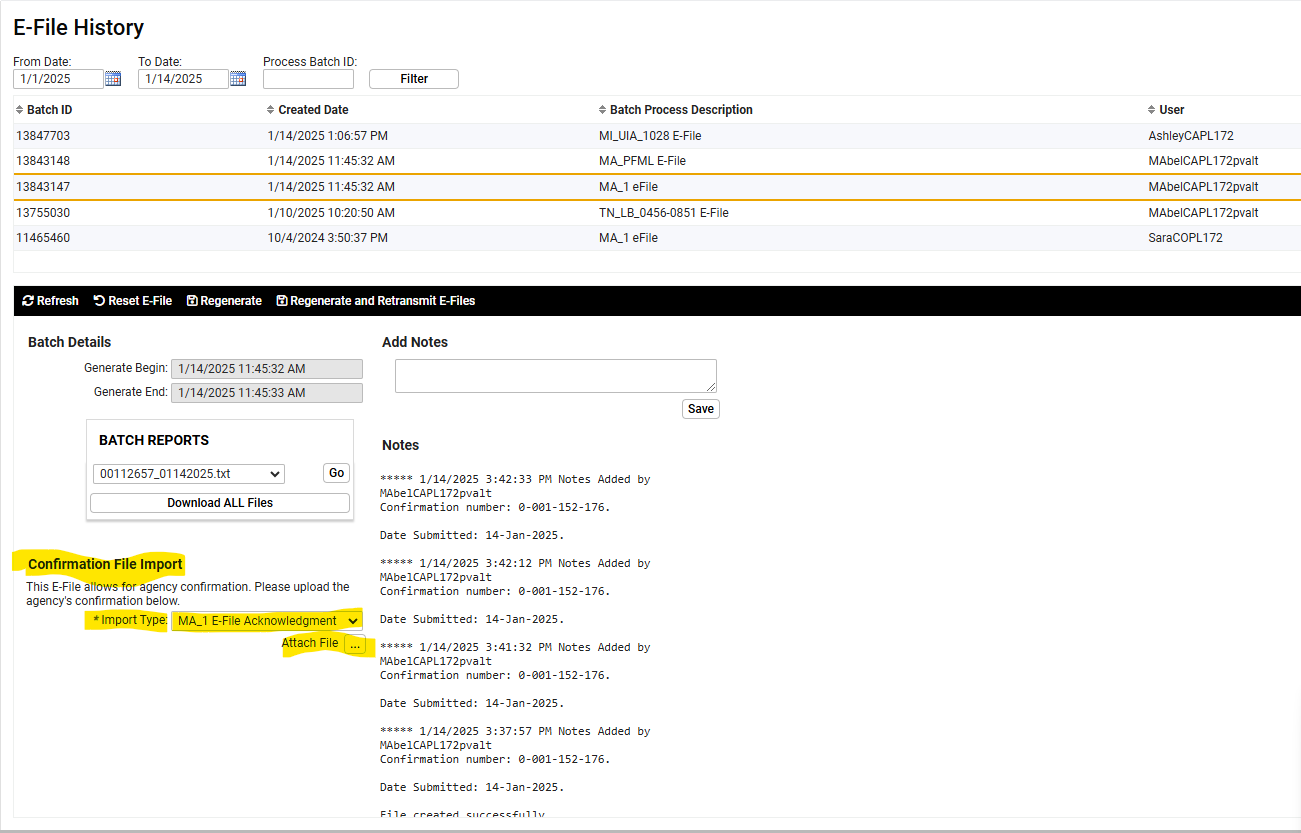
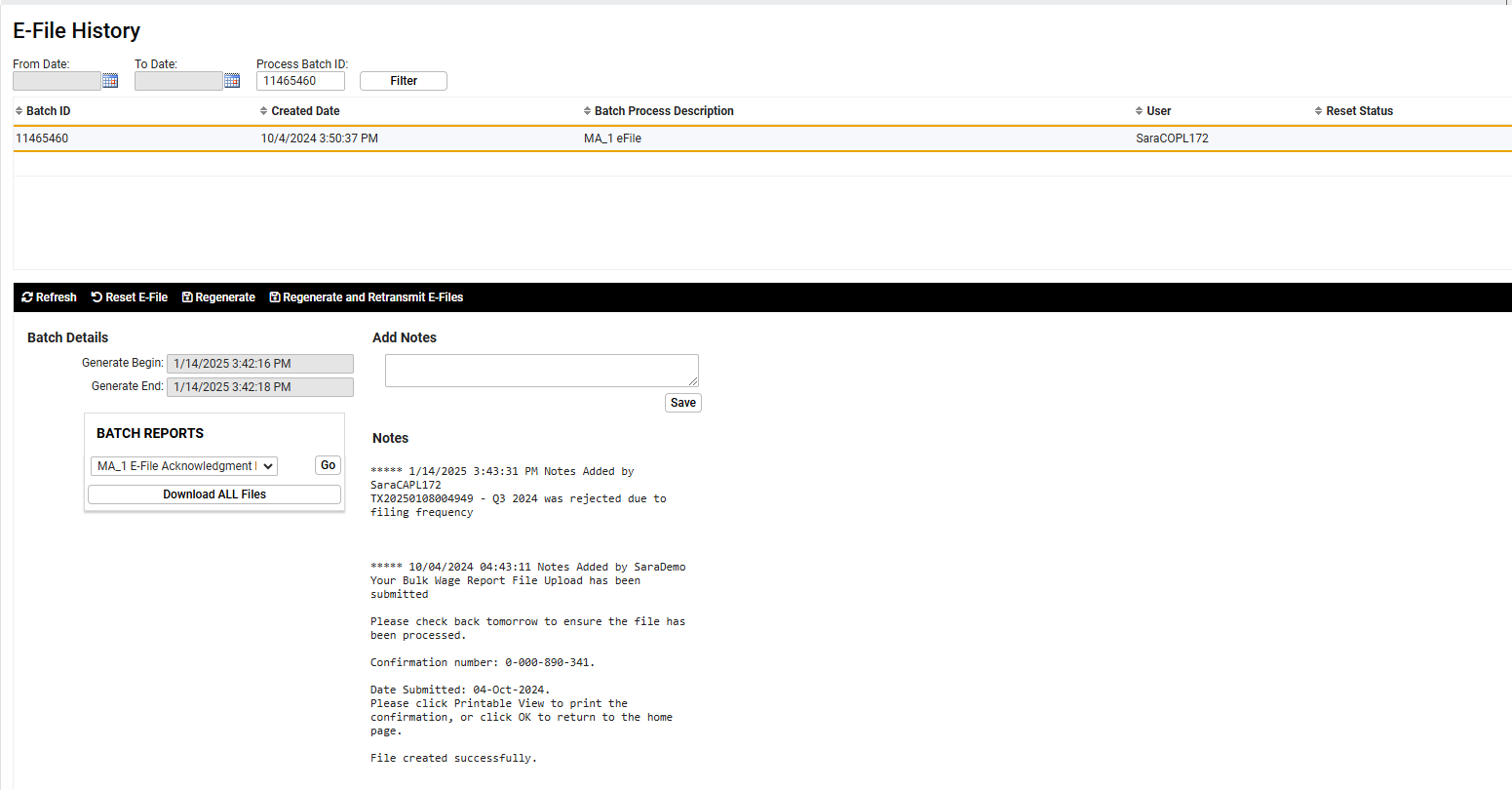
- MA UI DOUBLE CHECK: MA UI will send a message through MassTaxConnect with the subject "Your File Has Errors" and the description of "This file contains unprocessed records from the original uploaded bulk". Select the .txt file hyperlink and save to your computer. The .txt file can be downloaded and uploaded into iSolved E-File History acknowledgment to produce a report named MA_1 E-File Acknowledgment Report showing the rejections.


Massachusetts Withholding
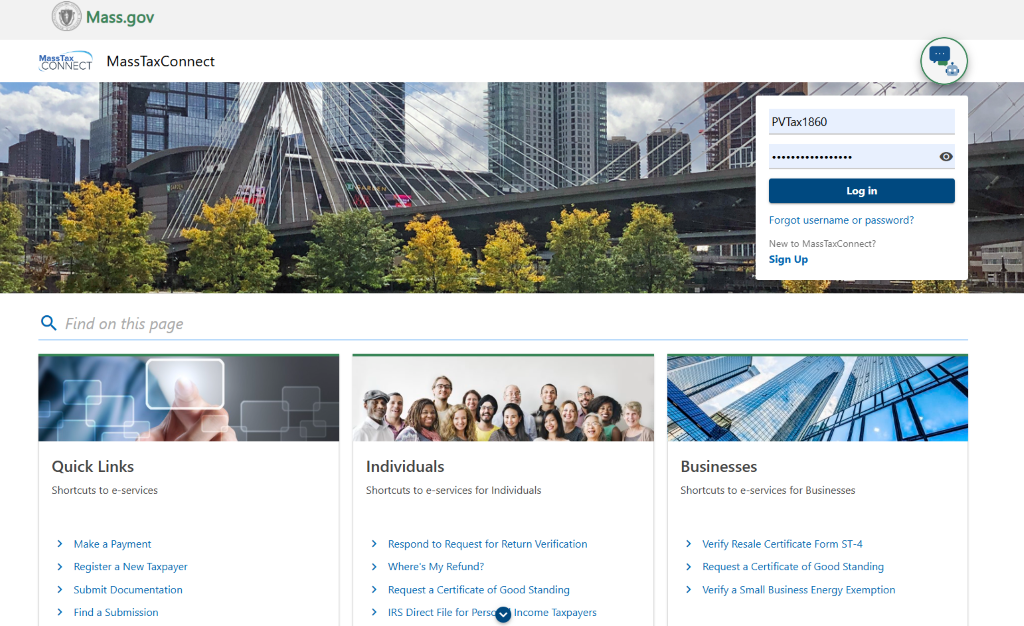
- Click on Manage My Clients at the top right-hand corner
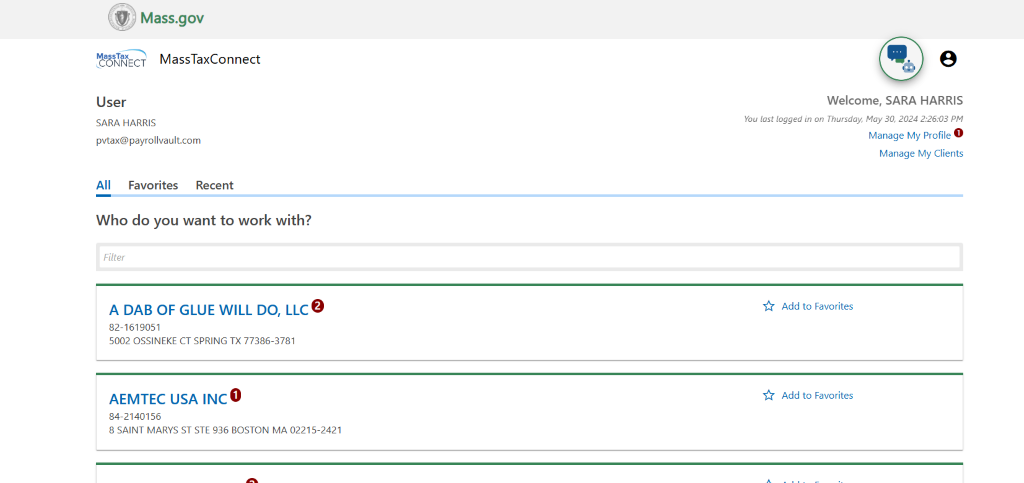
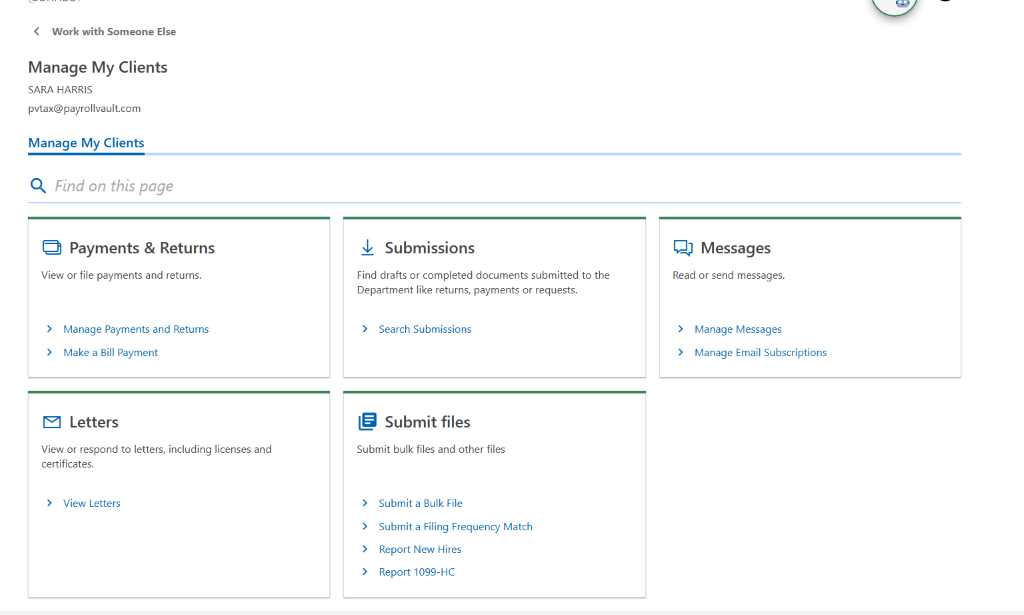
- Scroll down to Submit Files
- Now click on > Submit a Bulk File
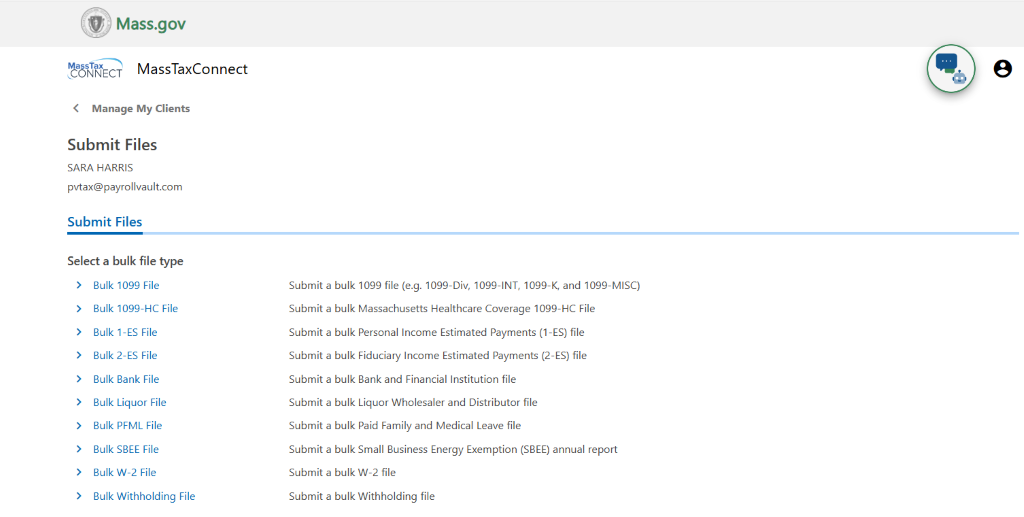
- Here you will select which return you would like to Bulk Upload ie: Bulk Withholding, Bulk PFML or Bulk W-2 File.