
This article guides you through the process of manually filing the Jersey City, New Jersey & NJ- Newark quarterly filing.
- The filing will produce in iSolved as a paper filing. It cannot be mailed or bulk filed.
- Go to Quarter End Approval Screen and approve the filing. Add the filing to the Printing Spreadsheet. (No checks or batch #'s needed)
- Go to the Print Tax Forms Screen, click on the form you are filing. Then select "Preview" to pull up the report. Keep this report open, you'll need some info from it!!
- Navigate to https://apps.hlssystems.com/JerseyCity/FilePayrollTax
- Enter the client's FEIN
- The site will automatically populate the client information. Verify information including the business name, address, business contact information, and payroll company contact information.
- Select Next
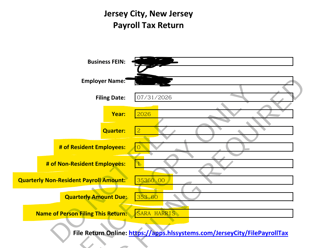
- Using the filing in iSolved, enter the information on the state site.
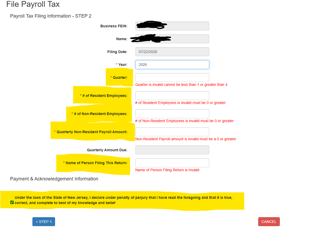
- Select the checkbox: Under the laws of the State of New Jersey, I declare under penalty of perjury that I have read the foregoing and that it is true, correct, and complete to the best of my knowledge and belief
- After you entered the following information, another prompt will populate.
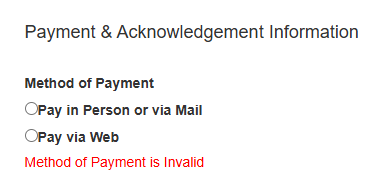
- Select, Pay via Web
- Select File Return
- A message will appear on your screen, telling you that it has been successfully filed. Click OK and proceed.
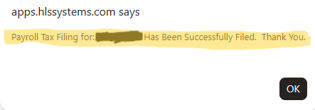
- You'll be prompted to complete the payment in another screen.
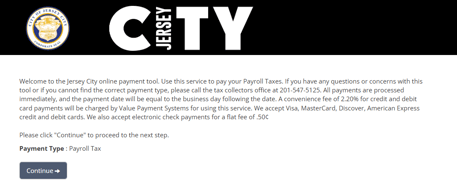
- Click, Continue
- In the next screen, you will need to enter in Account & Banking Information.
-
- Account Info
- First and Lastname: Sara Harris
- Address: 1860 W Littleton Boulevard
- City: Littleton
- State: Colorado
- Zip code: 80120
- Contact Phone #: 3037631853
- Email: PVtax@payrollvault.com
- Payment Info
- For the amount due, enter the Quarterly Amount Due
- Federal Tax ID: Enter Payroll Vault's FEIN
- Company Name: Payroll Vault LLC
- Payment Method: Echeck
- Check Type: Checking
- Enter in Payroll Vault's Routing and Account #'s
- Account Info
-
- Once all the information is entered, Select Continue
- The payment will add a $0.50 service fee; proceed with payment
- Save the confirmation
- In iSolved, navigate to Client Management > Taxes > Tax Adjustments. (We have to add the service fee charge to our account in iSolved)
- Select +Add New
- Adjustment Type: Tax Payment Due
- Apply to Tax Code: NJ- JERSEY CITY PAYROLL EXPENSE TAX ER
- Origination Period: Enter the ending date of the quarter (example: 03/31/xx, 06/30/xx, 09/30/xx, 12/31/xx)
- Amount: 0.50
- Reference: Service Fee
- Comments: Service Fee
- Select the checkbox: Service Bureau to Issue Payment
- Select the checkbox: Service Bureau Responsibility
- View payment is correct and push out the payment (tax and $0.50 service fee combined) as a debit manual pay in iSolved