
Hawaii Unemployment
- UI- E-File Required* Needs Access Granted
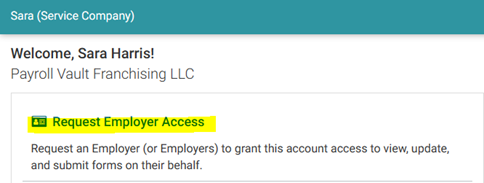
- To gain access to a client – on the login screen click on Request Employer Access
- On the next screen you will enter the clients UI account number and click submit access request.
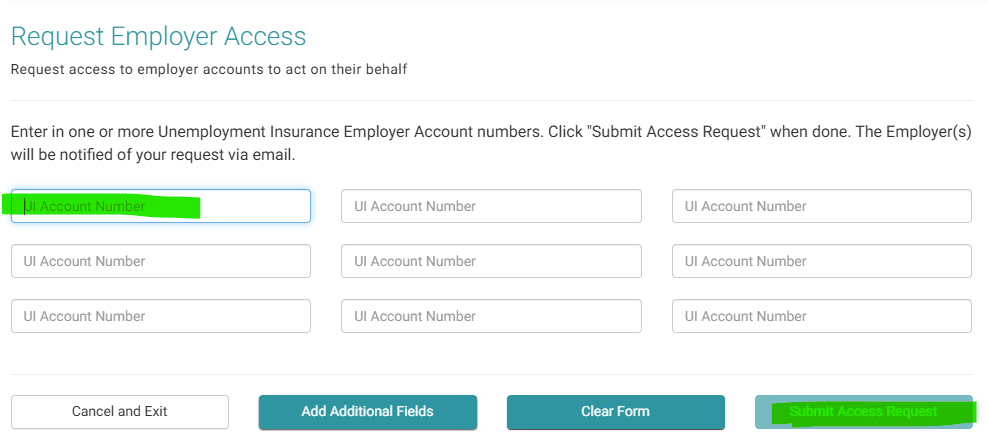
- The employer will receive an email notifying them that we requested access, and they can approve it.
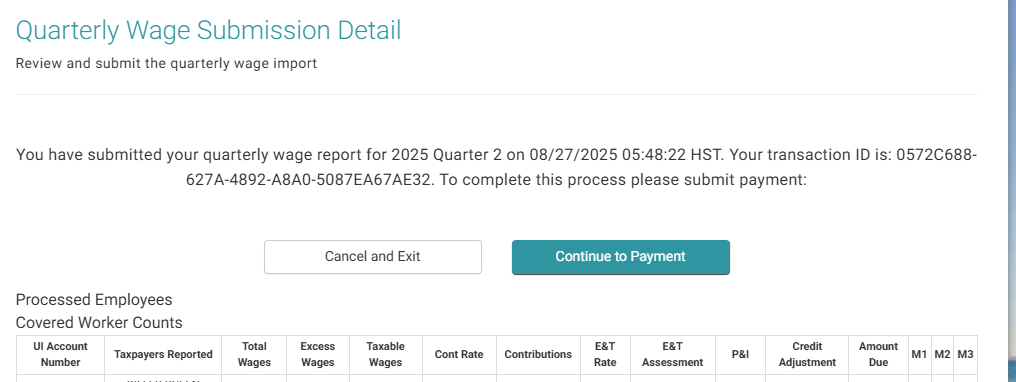
- To file quarterlies
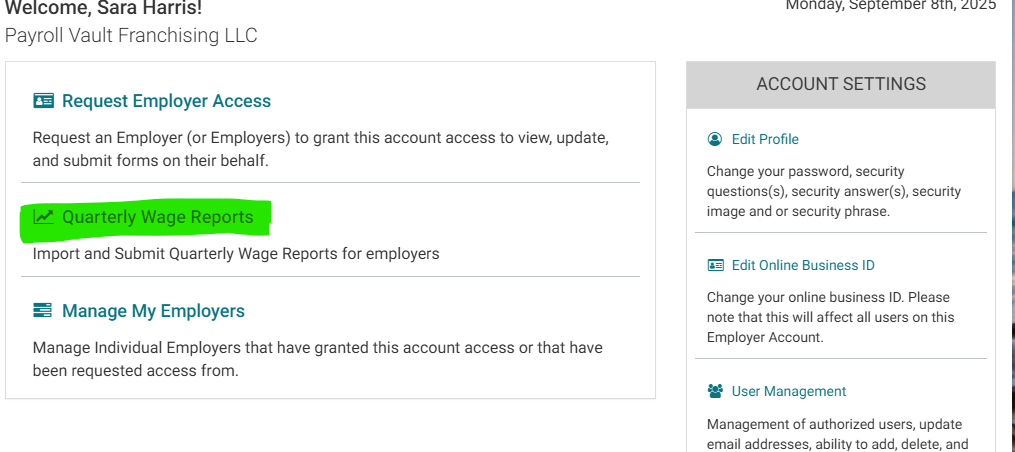
- Navigate to quarterly wage reports on the home screen
- Click on the 3rd step – select Year| QRT| Import CSV File
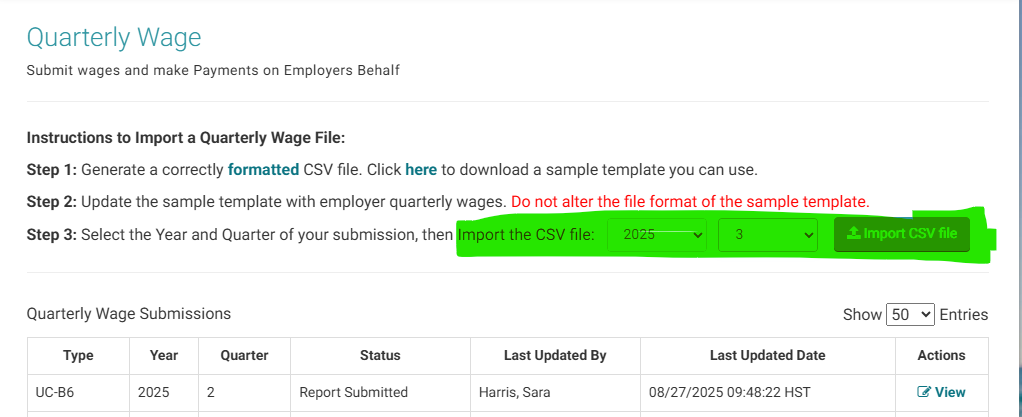
- Make sure to check back to be sure the file was accepted and not rejected and make payment
Hawaii Withholding
- WH -Tax Team Adds Client info & Auto Granted
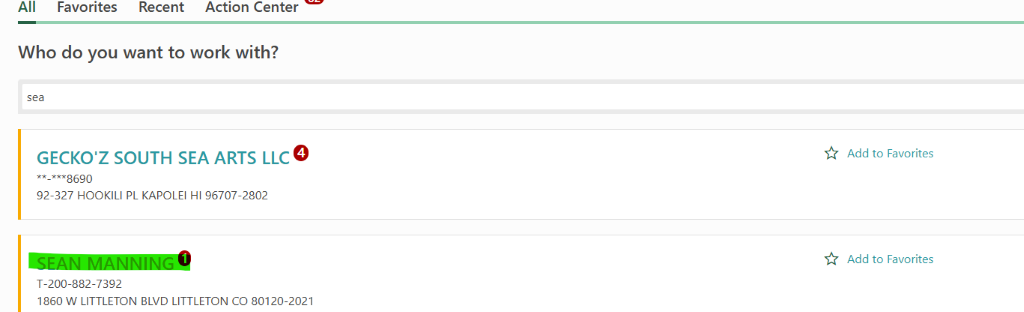
- Once logged in, navigate to Sean Manning and click on that account
- Then click on more……
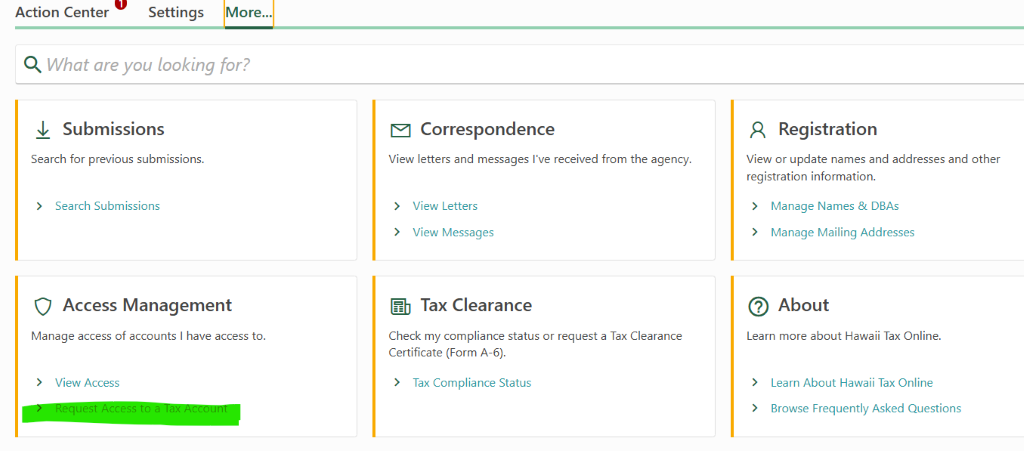
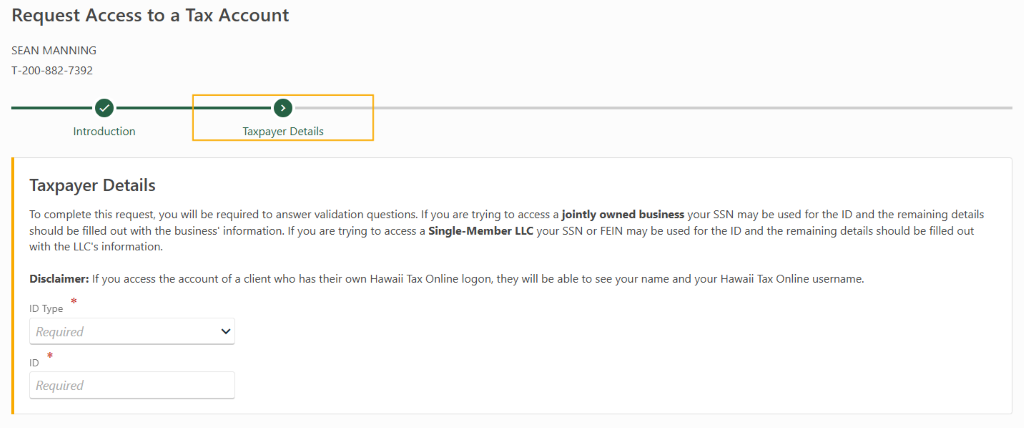
- Here you can request access to a Tax Account (access is granted instantly by the agency):
-
File withholding returns
- Hawaii withholding is now an auto upload from iSolved. The file can be created and transmitted directly from isolved
- To manually file quarterly returns to Hawaii you must individually access the client account and key the info. Once you have files and get confirmation paste the confirmation info in iSolved under the created file.