
Florida Unemployment
- iSolved- Create Tax E-File, select current qtr/yr
- Select to Create Florida SUI
- Go to E-File History, Select the Batch Report, and Save the File to your qtrly folder
- Go to: BSWAWelcomePage
- Click on the My Florida Icon
- Login to the account
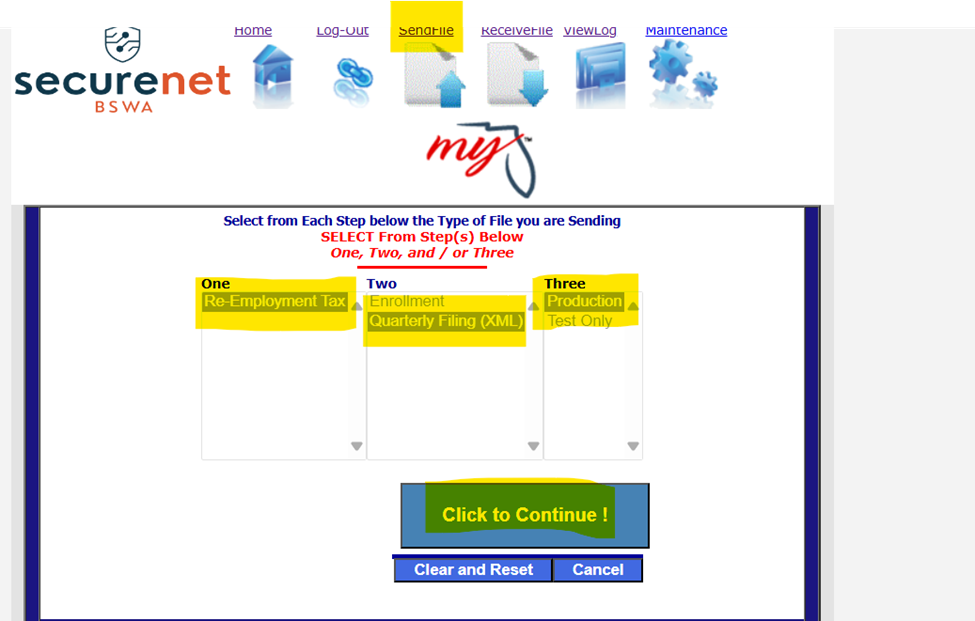
- Click on Send File, Re-Employment Tax, Quarterly Filing XML, Production, and Upload File
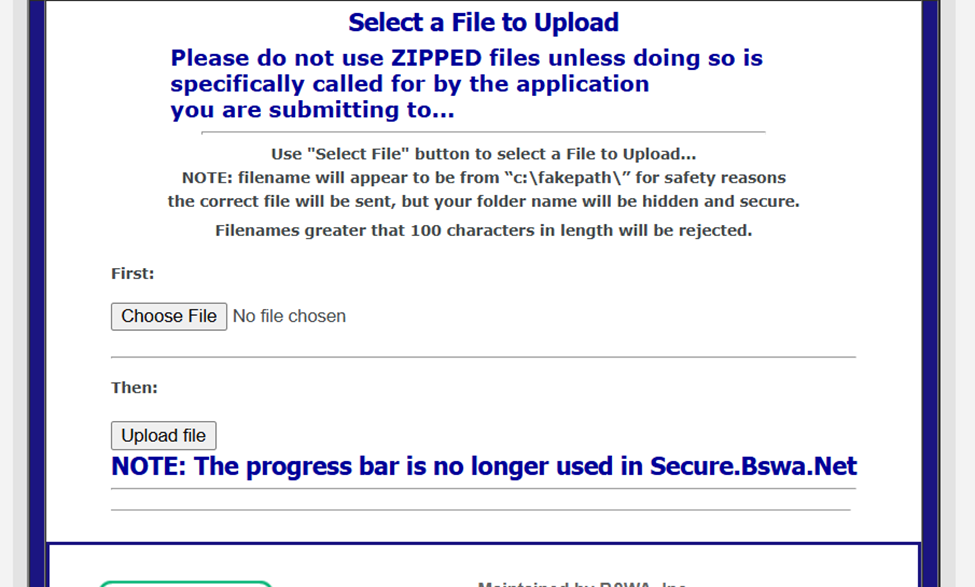
- Click on Choose File, and Select File & Upload File
- You’ll receive a confirmation # and that can be pasted into iSolved
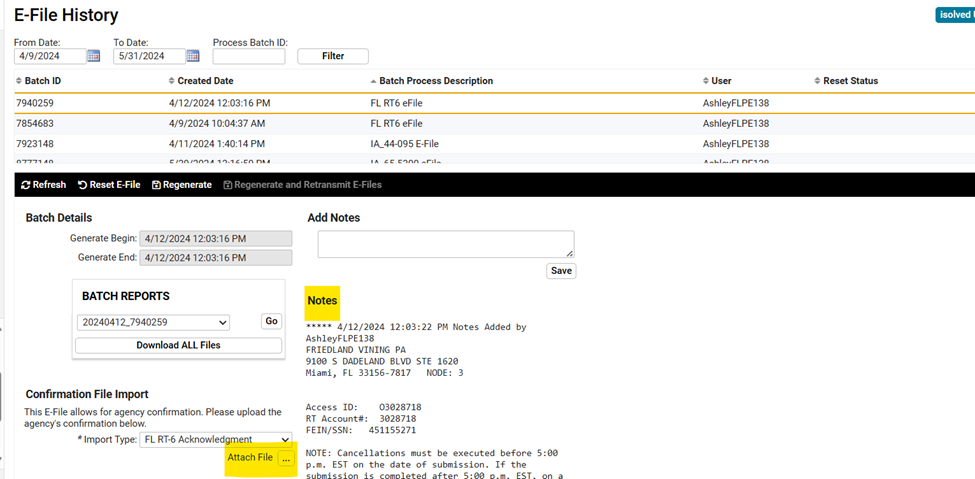
- PVTax Email will also receive a confirmation when the file has been fully processed
- You will need to log back into the site and retrieve the confirmation numbers. This XML file can be imported into iSolved.
- Any errors within the file will be towards the bottom of the file- most of the time the clients are not tied to us as the agent. These will not process, you will have to process these returns separately.
- To file the reports manually with the FEIN & RT #, use this site: https://brtx-fl-uc.bswa.net/
- All payments can be made ACH Credit for bulk uploads, or individual files as long as we have an ID # on file.