
Sending tax payment files to GBC after 3PM MST
- In iSolved, process the payment in the Process Payments screen
- In iSolved, Tax Filing Management > Tax Payment Process > Payment History
- DO NOT select the send button
- Select the Download button under the Payment Files, ACH File: Download
- Check mark the box that says Mark as sent
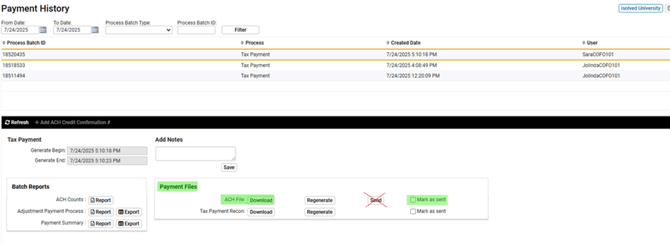
- Once Downloaded name the file 3PVT.015.ACHFileA.txt
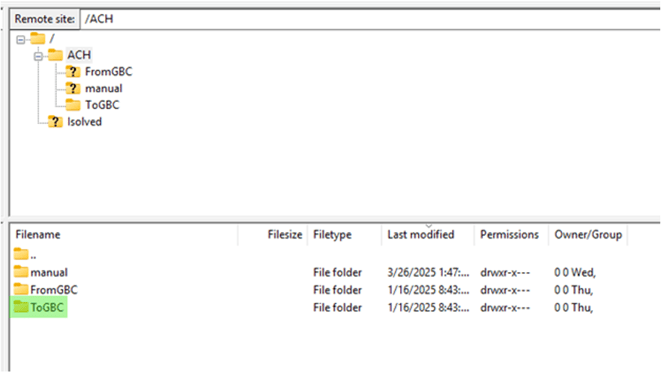
- Open FileZilla and connect to GBC
- Drag and drop your file into the file ToGBC
-
Email GBC the below email notifying them of the file
- Email to: achprocessing@georgiabanking.com
- Subject Line of Email: Control Totals: Payroll Vault 015.3PVT
- Body of Email:
- File Name: 3PVT.015.ACHFileA.txt
- Credit Total: $xxx.xx
- Debit Total: $xxx.xx
- Entries: xxxx
- *If sending multiple files at one time, please send in control totals for each file in the body of the email.*