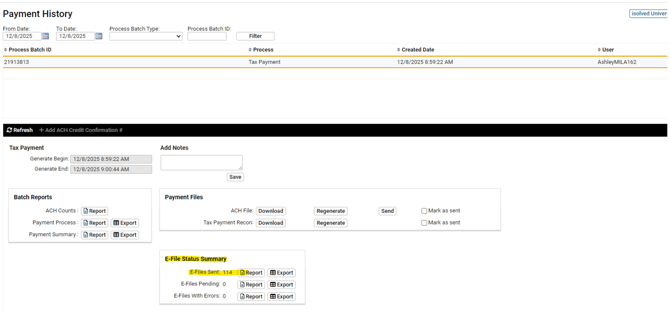
Some tax payments released from the system require a corresponding electronic filing, while others do not. This SOP provides guidance to ensure required e-files are created accurately and in compliance with applicable requirements.
- When submitting tax payments in iSolved, be sure to check the payment history tab for any pending e-files
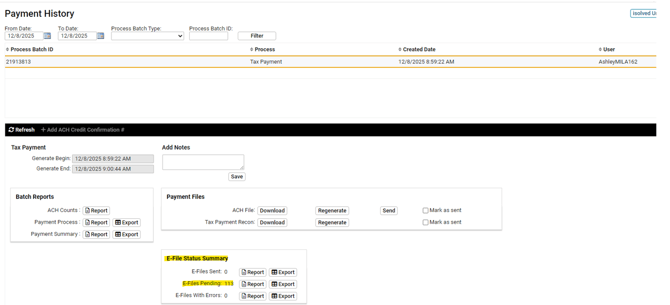
- If you any e-files need to be filed, please go to Tax Payment Processing > Create Tax Payment E-Files, and hit Filter

- Select one agency, and click create e-file
- Then, click on the history tab to retrieve your file
- Download file, and upload to the state agency site
- Please save any confirmation info in the notes section in iSolved
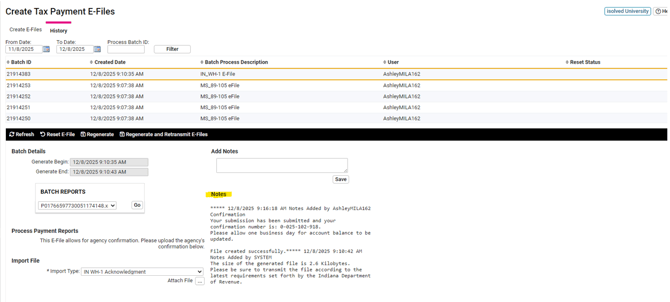
- Return to the Payment History tab and review the tax payment file to be sure all e-files were created