Alabama Unemployment
-
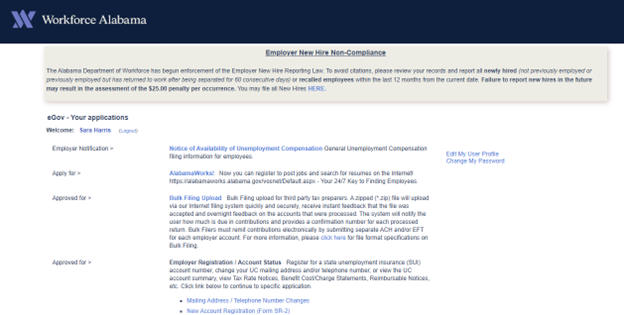
To file AL UI once you log in you will click on Bulk Filing Upload
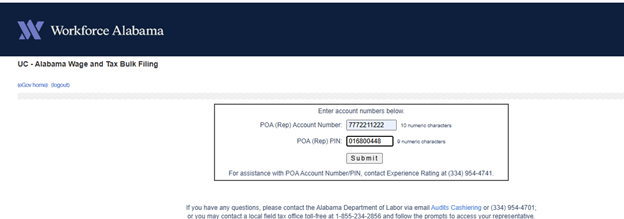
- Then you will enter the POA account number and Pin on next page
-
Upload File
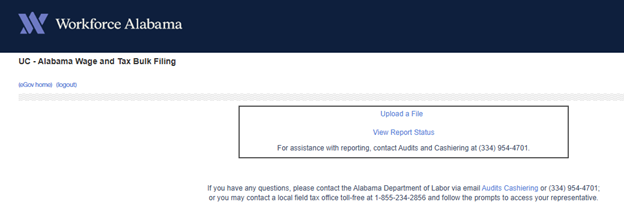
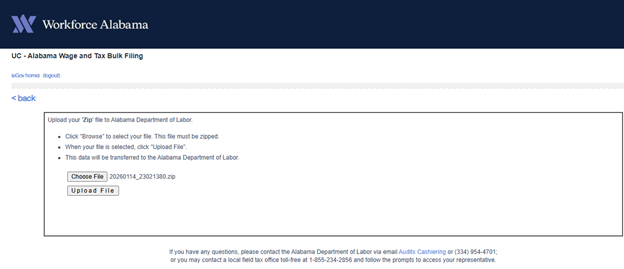
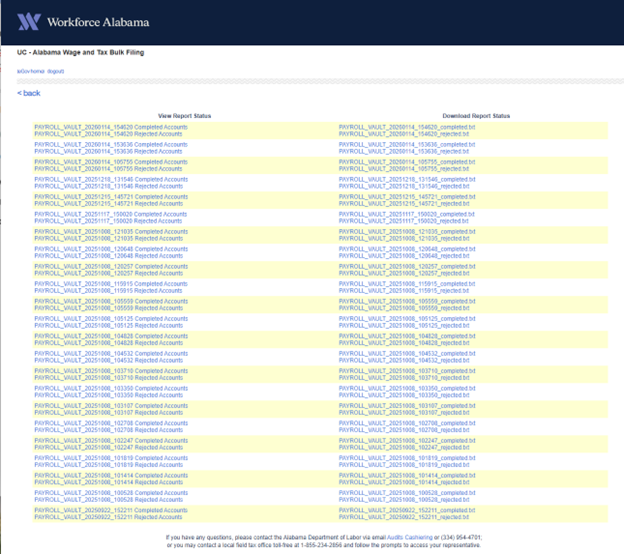
- Once the file is uploaded check back next day and click on View Report Status to see if the file was rejected.
Alabama Withholding
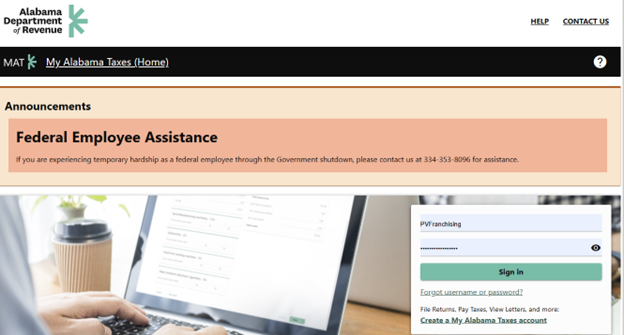
- Log into the Department of Revenue Site.
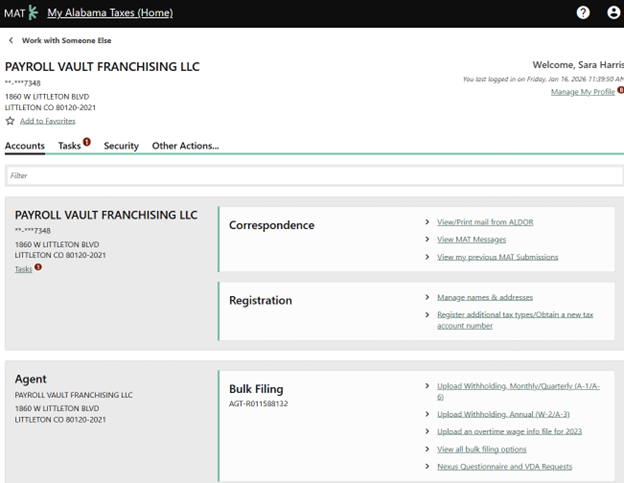
- Click on Payroll Vault Franchising LLC

- Under Bulk Filing-Upload Withholding, Monthly/Quarterly (A-1/A-6)
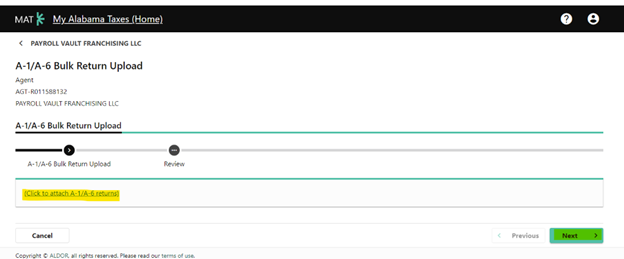
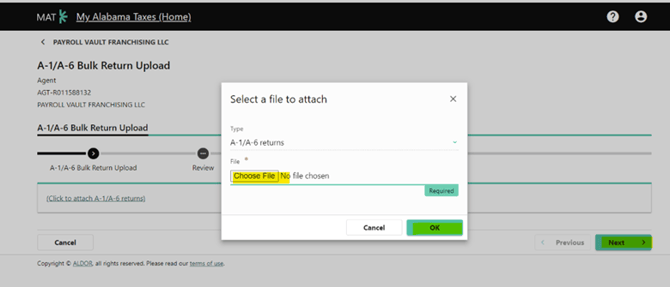
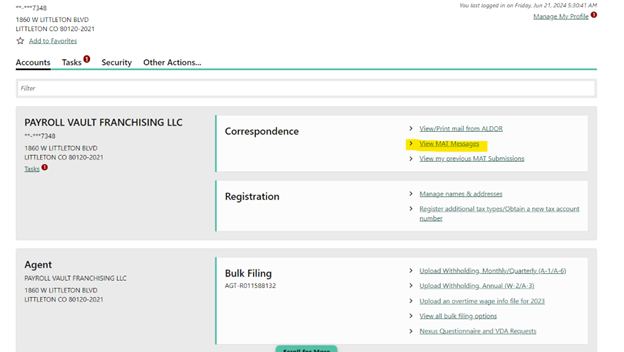
- Once the file is uploaded you then go back to the main screen for Payroll Vault and click on View MAT Message
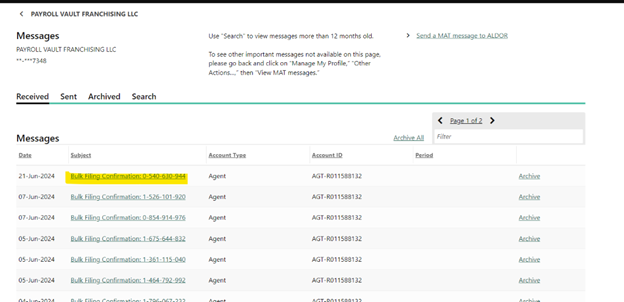
- Your file will be the first one click on the Bulk file confirmation
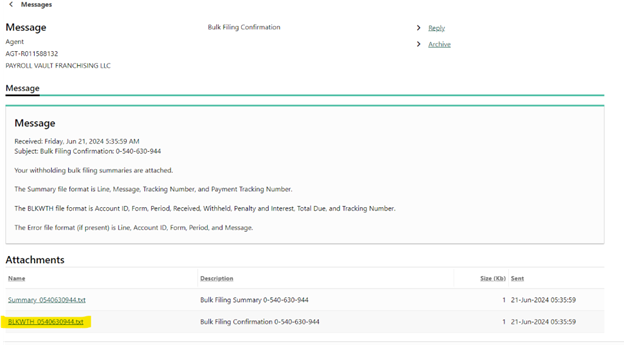
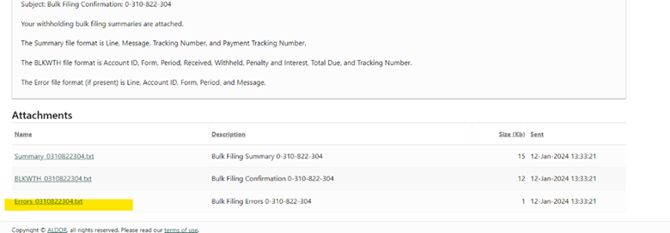
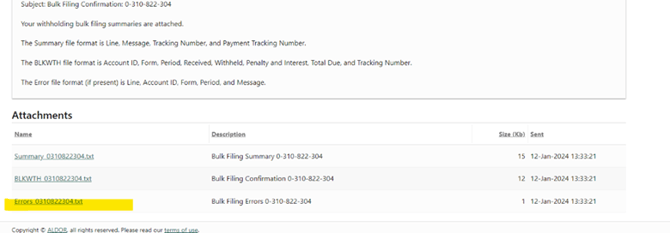
- Once you click on it you will see Summary and BLKWTH. Click on BLKWTH and down load it so that you can upload the confirmation into isolved so that your payment file will generate. If there was an Error on the file that would be listed under the BLKWTH
Alabama W2s and Annual Reconciliation
- Log into the Department of Revenue Site.
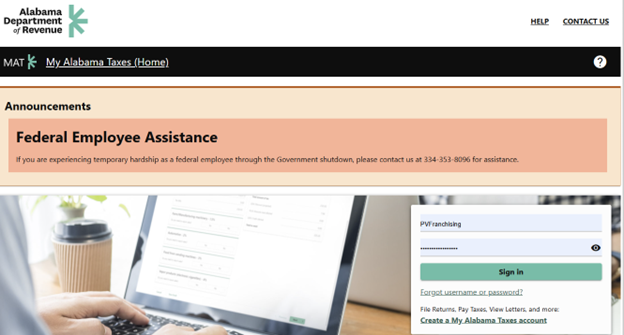
- Click on Payroll Vault Franchising LLC

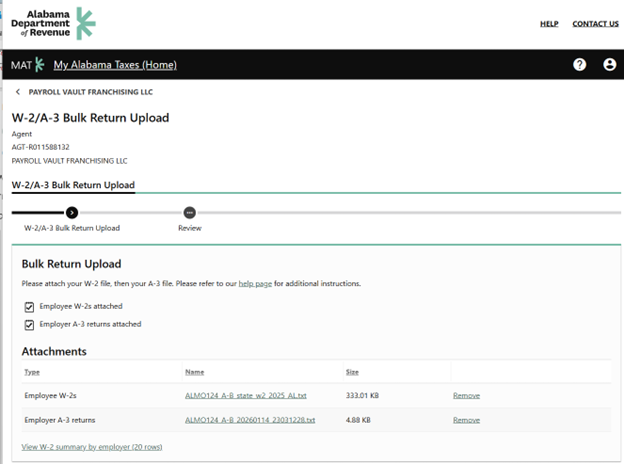
- Under Bulk Filing-Upload Withholding, Annual (W-2/A-3)
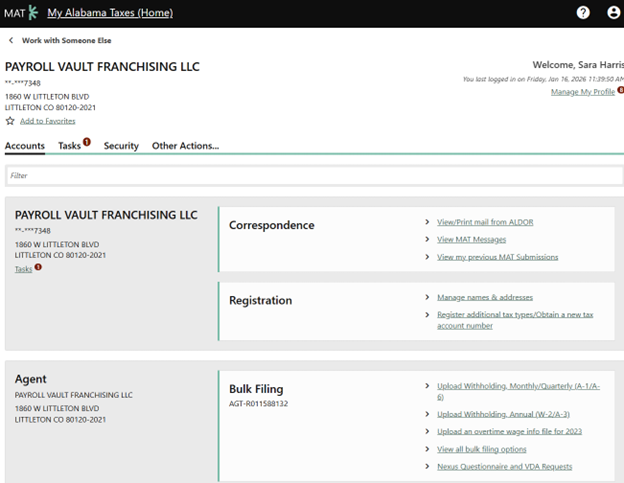
- Attach both the W-2 file and A-3 file. Select Next. If there are any W-2 or A3 errors, go back to iSolved to remove them from the files, then submit the ones that are good. Reach out to the service group with any errors.
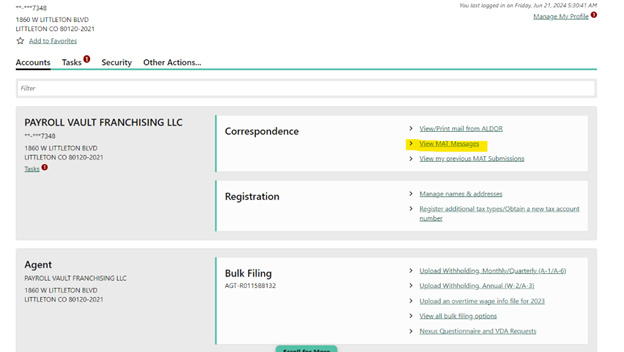
- Once the file is uploaded you then go back to the main screen for Payroll Vault and click on View MAT Message
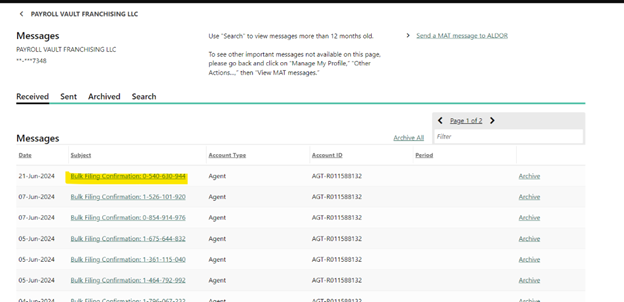
- Your file will be the first one, click on the Bulk file confirmation
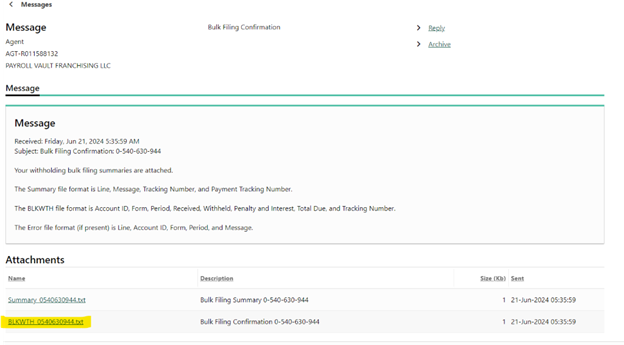
- Once you click on it you will see Summary and BLKWTH. Click on BLKWTH and down load it so that you can upload the confirmation into isolved. If there was an Error on the file that would be listed under the BLKWTH